



How to use this page
A campaign helps organise promotional actions with their own context, such as seasonal campaigns, brand activations, time-limited initiatives, or actions with dedicated vouchers. When it is well defined, it helps the team manage promotional logic more clearly and keep alignment between intent, duration, and execution.
Campaign list
Existing promotional structure
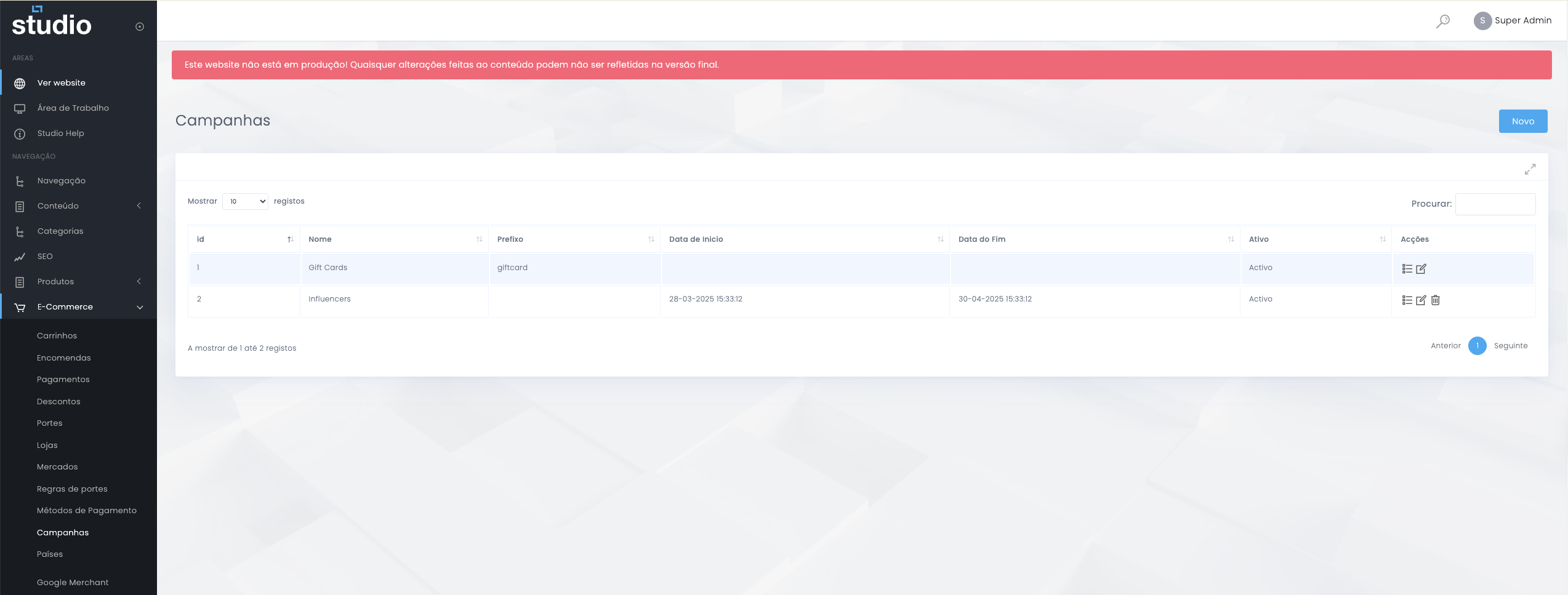
A campaign works as a promotional entity with its own identity and calendar. It helps organise actions such as seasonal campaigns, time-limited initiatives, or promotional structures that later become executable through vouchers.
Create campaign
Base structure of the initiative
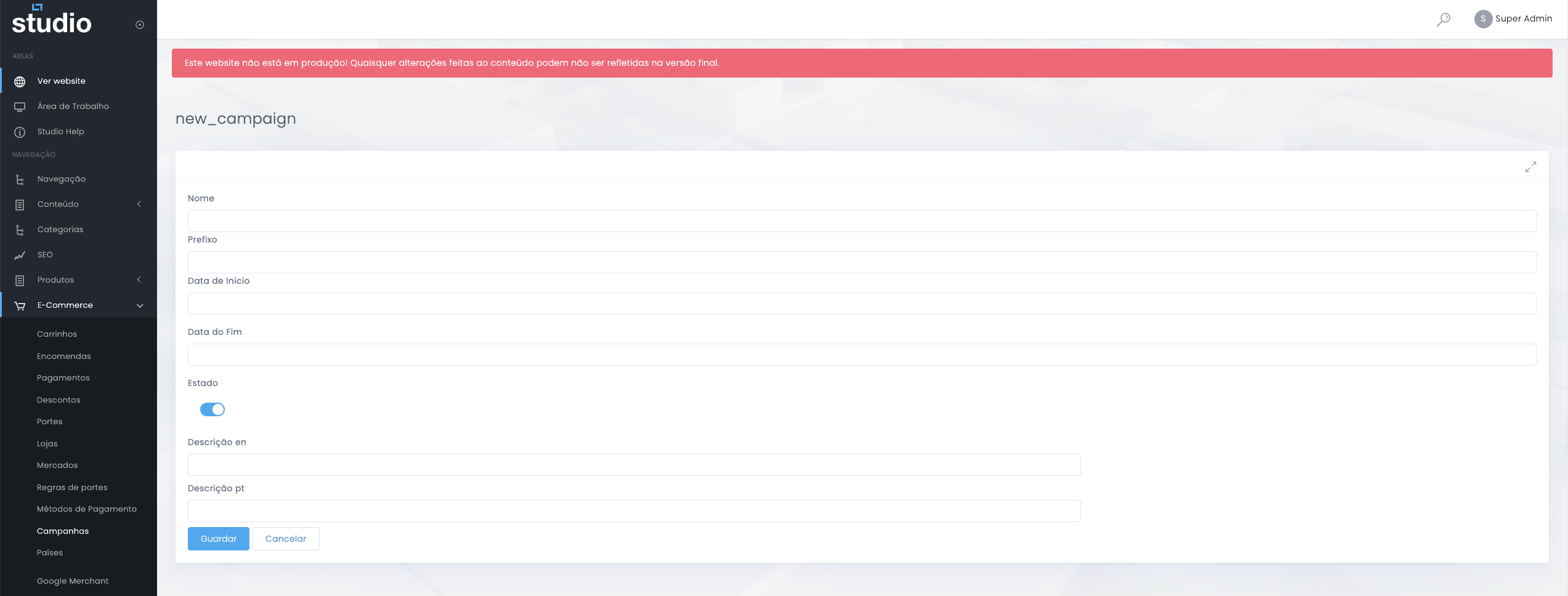
Structural fields
- Name identifies the campaign.
- Prefix helps structure associated codes or logic.
- Start date and end date define the validity window.
Additional context
- Status controls whether the campaign is active.
- Description by language helps contextualise the action in multilingual environments.
- The campaign should be created with a clear objective and duration.
Vouchers linked to the campaign
Practical application of the promotion
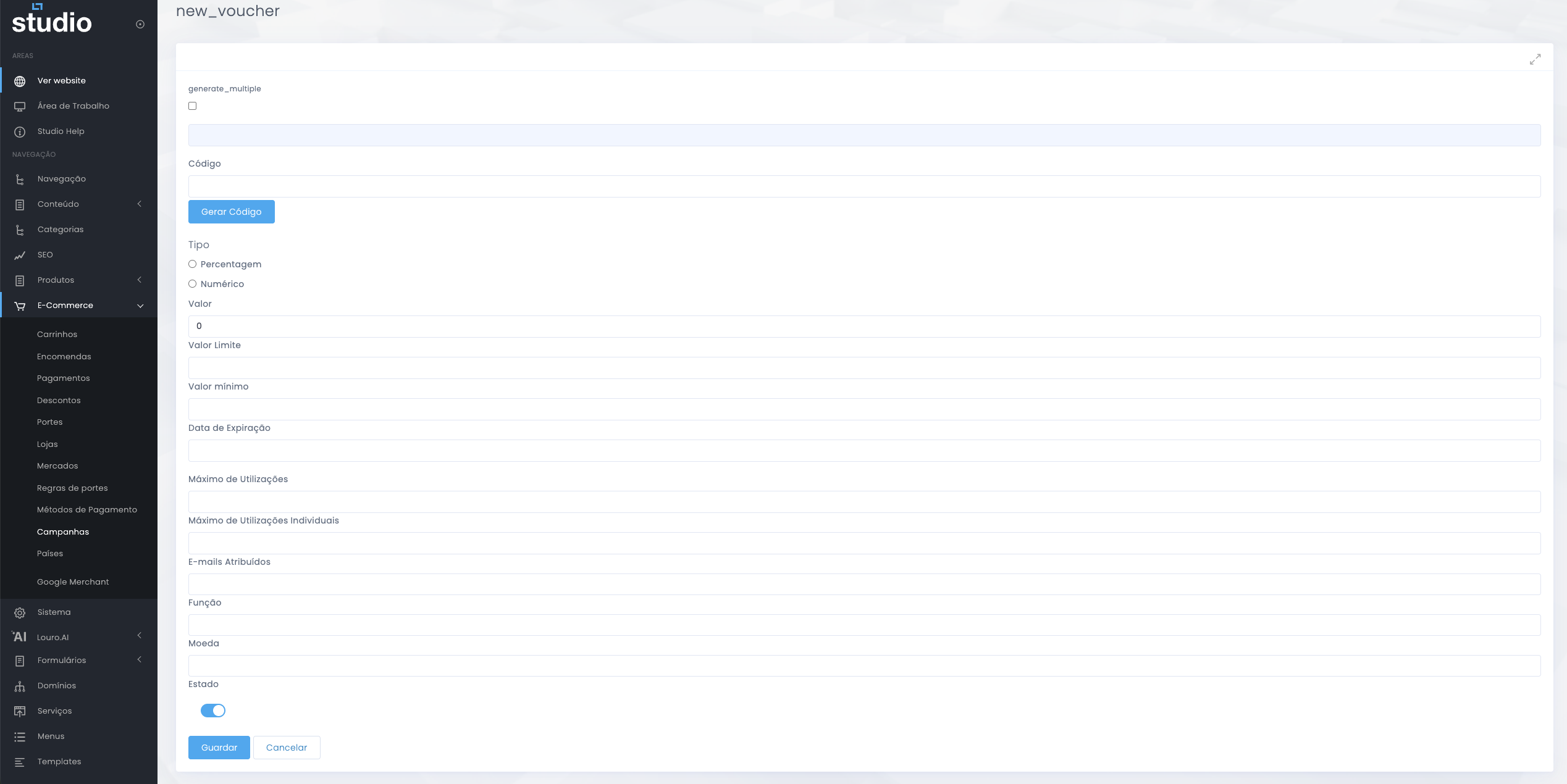
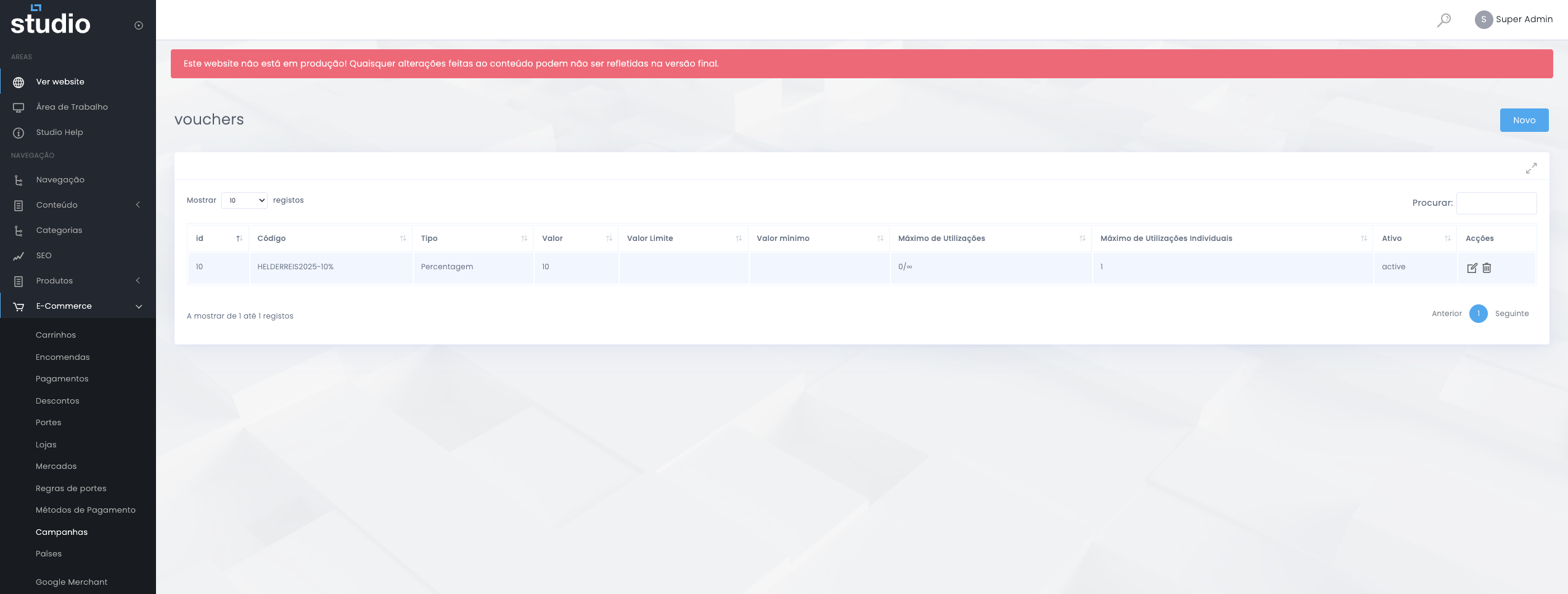
Vouchers make the campaign executable at checkout. They can include code, type, value, limit value, minimum value, expiry date, maximum uses, maximum individual uses, assigned emails, role, currency, and status.
Campaign vs discount
Difference in function
Campaign
- Organises a broader promotional action.
- Has its own identity, period, and context.
- Can group vouchers and act as the main structure of the action.
Discount
- Defines the automatic application logic in checkout.
- Works through rules and conditions.
- Is more operational than editorial.
Management good practices
Campaigns under control
- Create campaigns with naming that is consistent and easy to recognise internally.
- Use clear prefixes when they are relevant to the promotional logic.
- Define tightly scoped periods to avoid open campaigns with no control.
- Ensure consistency between the campaign and its linked vouchers.
- Test voucher behaviour before communicating it externally.
- Deactivate older campaigns that no longer make sense in the current operation.
Explore also
Areas related to promotions and performance