



Before you begin
Before creating a domain, it is worth clarifying what kind of list is being built, who will use it and whether it needs language versions, external integration or a relationship with another domain. That preparation usually avoids unnecessary adjustments later.
Define the structure before creating it
What is worth deciding first
Functional purpose
Confirm whether the domain will support a form, an integration, editorial filters or a shared website logic.
Value model
Understand how many values the list may need, whether it requires languages and how often those items are likely to change.
Future dependencies
If the domain may grow later, it is worth anticipating statuses, hierarchies, codes or integrations from the first setup.
Fill in the base domain form
Main and supporting fields
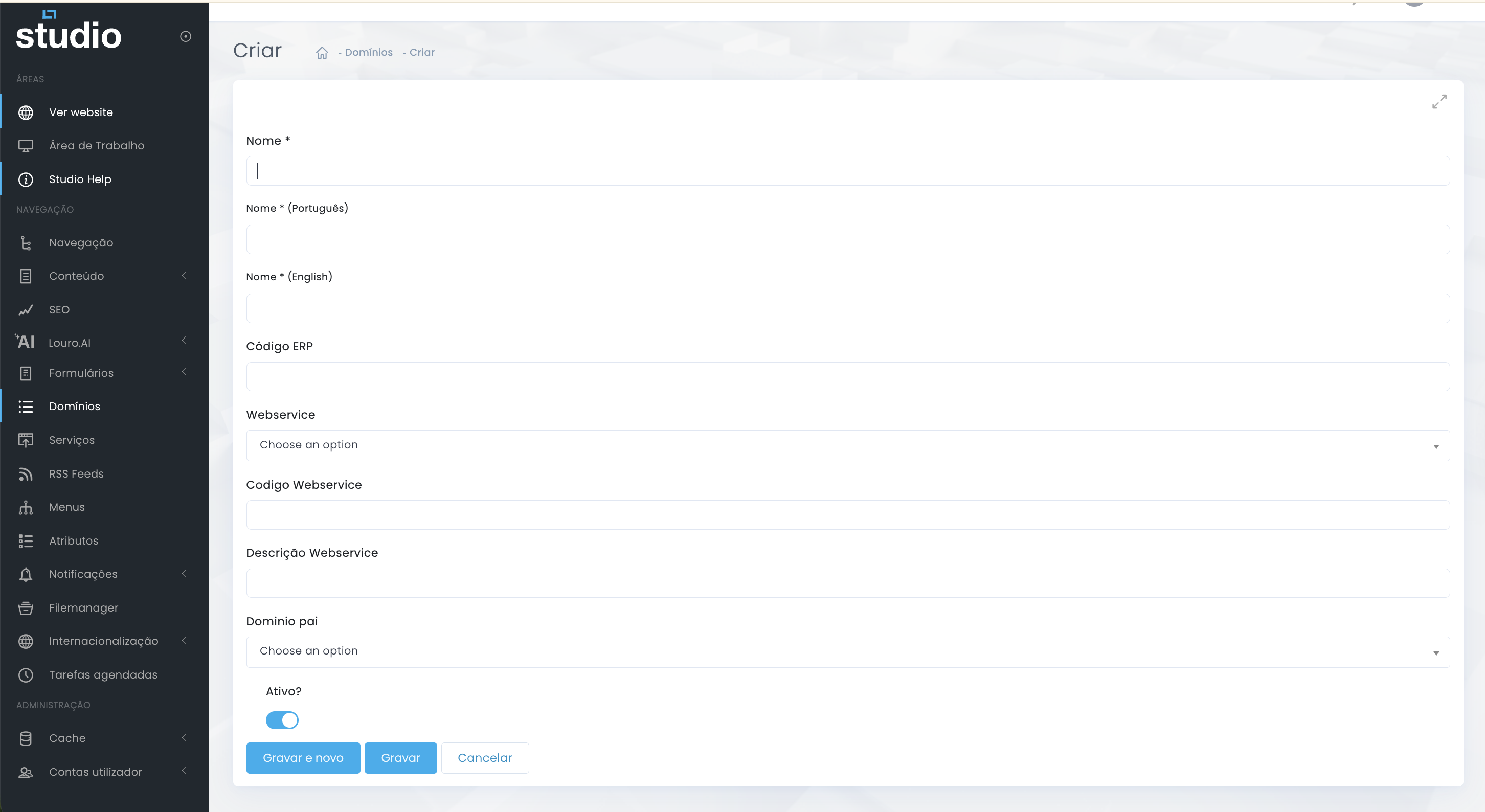
Main fields
Name, language versions and structural identifiers help keep the list readable and reusable across the project.
Technical fields
ERP code, Webservice and integration codes are useful when the list needs to connect to external systems.
- Prioritize clear internal names, because those are what the team will work with daily in the backoffice.
- Fill in language-specific names when the structure needs to stay coherent in multilingual projects.
- Use parent domain only when there is a real relationship between lists, not just a visual grouping idea.
- Activate the domain only when the structure already makes sense for real use.
Add values to the domain
Populate the list with logic
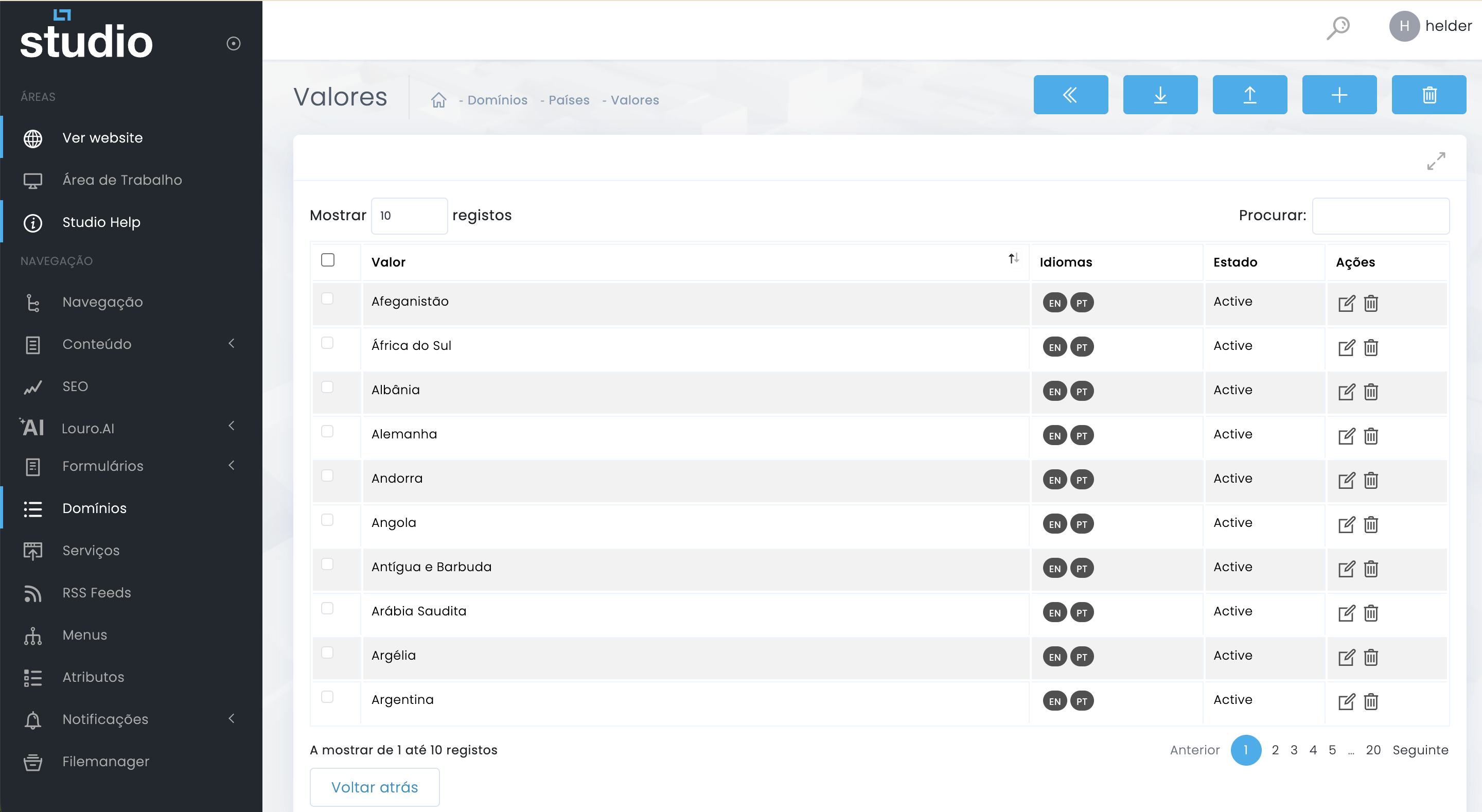
1. Open the values area
After saving the main domain, access the linked listing and start building the items that will feed the structure.
2. Create coherent values
Each value should represent a concrete option that is clear enough and stable enough to be reused elsewhere in the system.
3. Review languages and statuses
If the list exists in more than one language, make sure the versions stay aligned before using it in a live context.
Remove or clean values
Maintenance with care
- Remove values only when they no longer make functional sense inside the project.
- If an option is no longer used but still matters historically, it may be better to deactivate it instead of deleting it.
- Check whether the item is being consumed by forms, integrations or processes already in production.
Explore also
Related steps for this structure