



Overview
In Studio, an attribute is a reusable option structure that can be linked to specific content types. Instead of repeating manual lists across several blocks or pages, the team creates an attribute once and then manages its values from a central point.
Where this area appears in Studio
General list and management
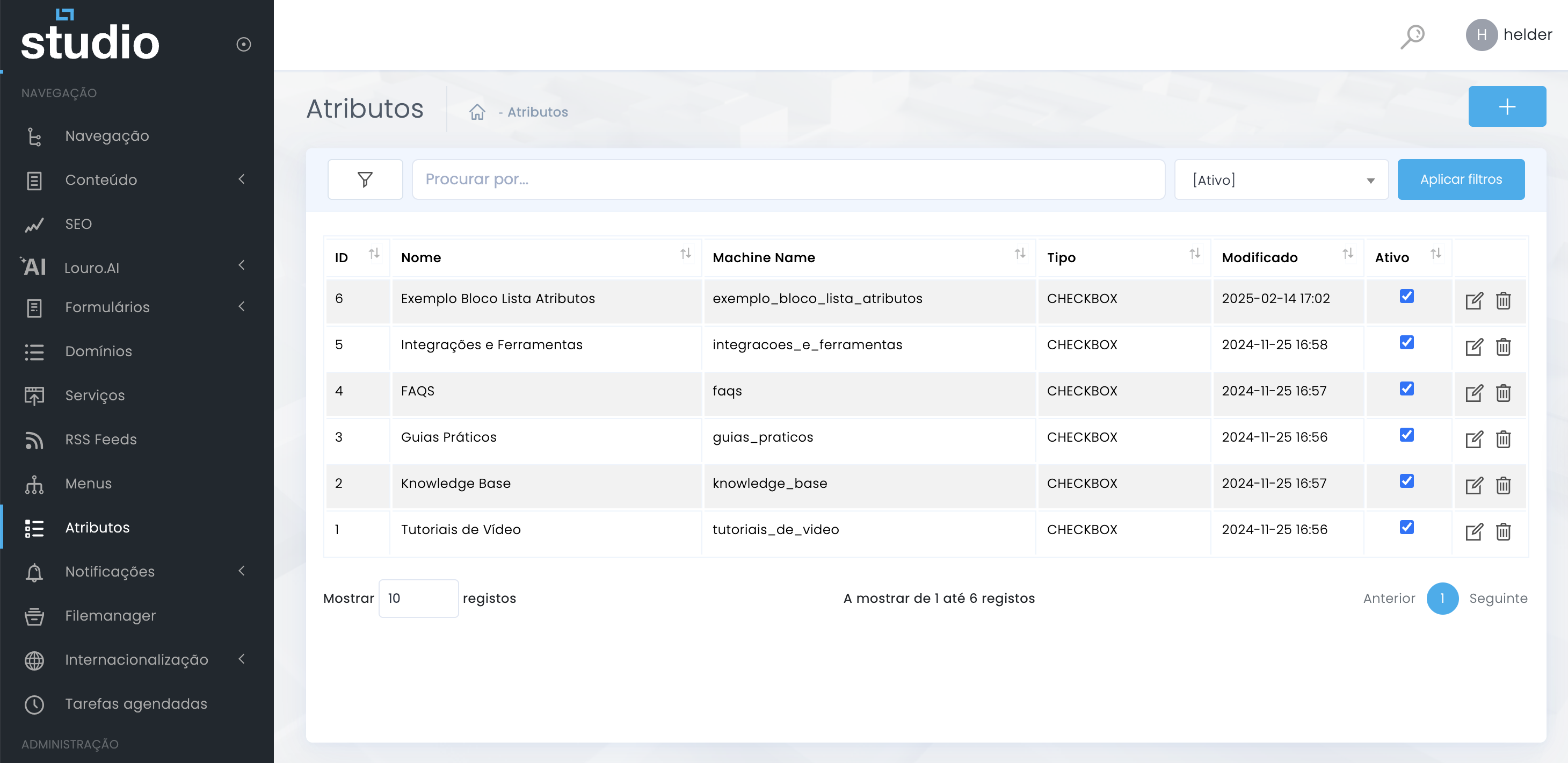
List
Lets you quickly understand which attributes already exist in the project and which ones are active.
Filter and search
Help locate structures when the project starts to include several similar attributes.
Actions
The icons at the end let you edit the existing attribute or remove it, depending on the context.
What an attribute is
Concept and function in the project
Attribute
It is the main structure that groups a list of reusable values, with name, type, order, status, and links to content.
Value
It is each internal item inside the attribute. It can have a name, technical value, translations, color, image, and description.
Practical use
It is used to power controlled lists inside blocks and content, reducing manual repetition and increasing consistency.
Core structure of an attribute
Type, content and organization
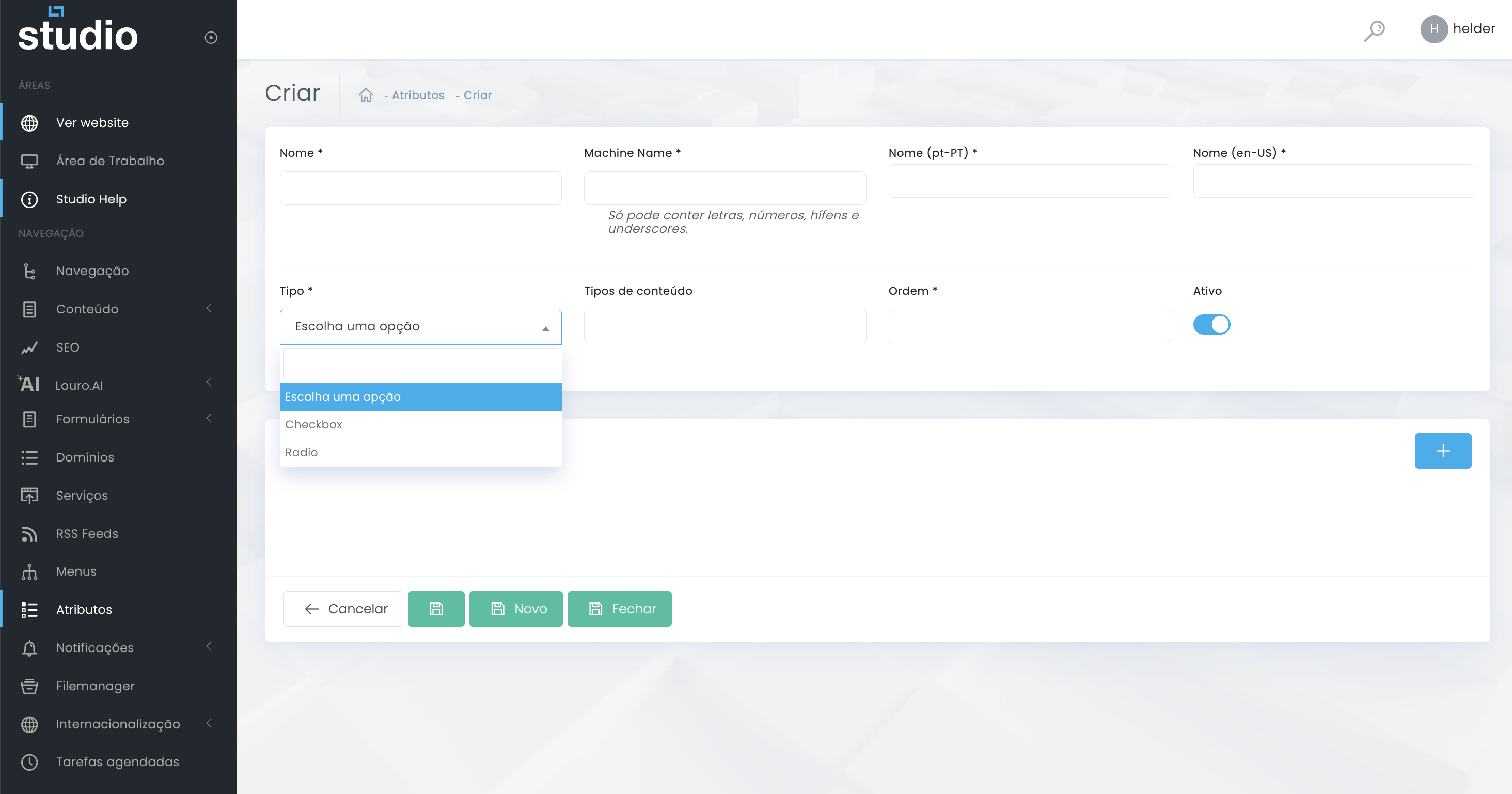
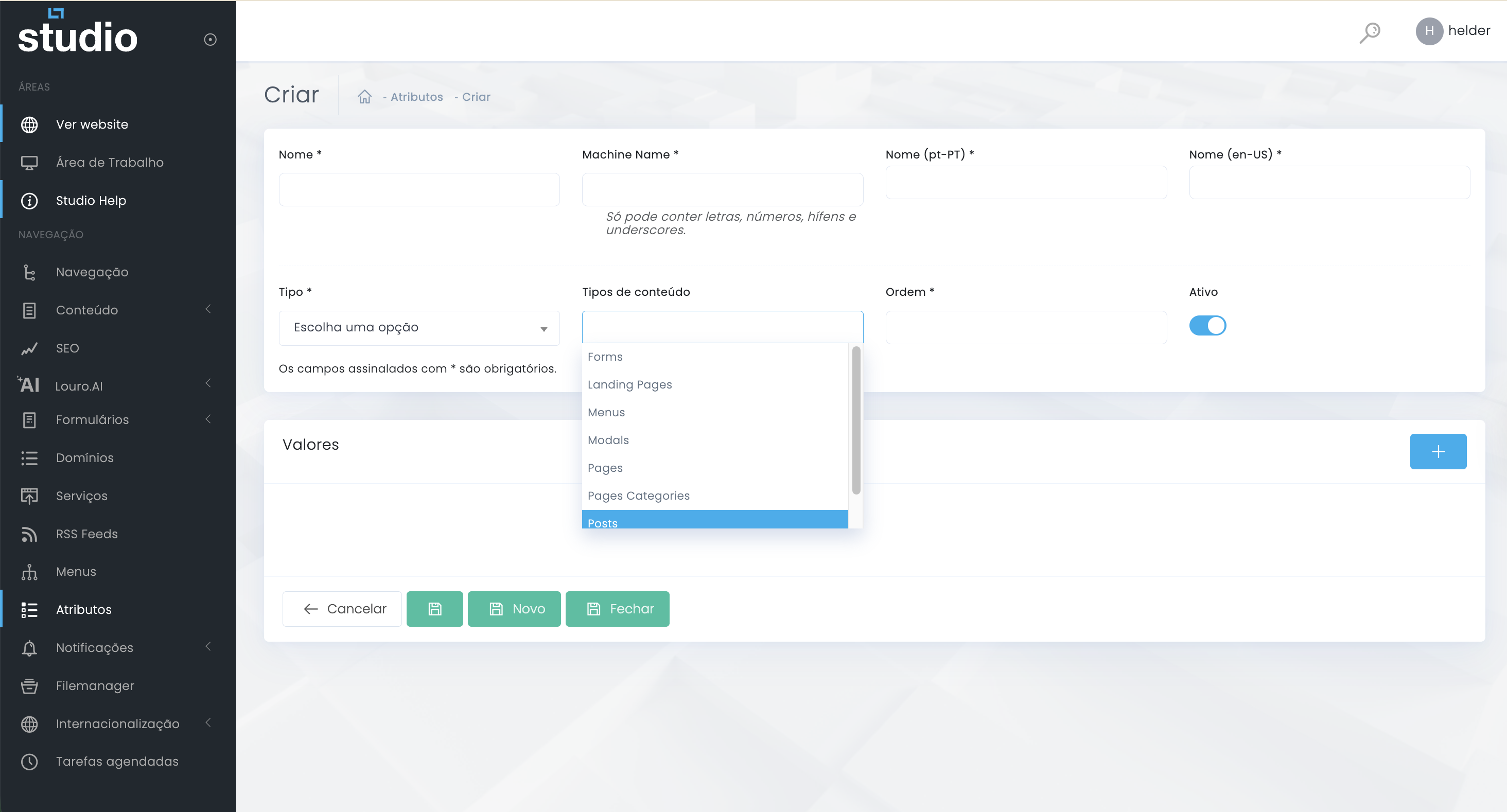
Type
Defines how values behave in use. It is a structural decision, not just a visual one.
Content types
Limit the use of the attribute to the content that actually needs that structure.
Order and status
Help maintain internal consistency, reading logic, and proper activation of the structure.
When it makes sense to create a new attribute
Cases where this structure is genuinely useful
- When several pages or blocks need to reuse the same list of options.
- When the team wants to avoid writing the same values manually in several areas of the backoffice.
- When values need translations, color, image, or their own description.
- When there is a need to maintain editorial consistency across similar components.
- When the structure will grow over time and benefits from central management.
Explore also
Next steps in this section