



Overview
Images should be treated as part of the content and not only as decoration. When they are well named and contextualized, they help search engines understand the page better and make the experience more robust for users and screen readers.
Name images correctly
First SEO layer
- Avoid generic names such as image1.jpg or final-photo.png.
- Prefer descriptive names, for example bottle-red-wine-douro.jpg, whenever that reflects the visual subject.
- The file name helps search engines interpret the image and can improve how it performs in image search results.
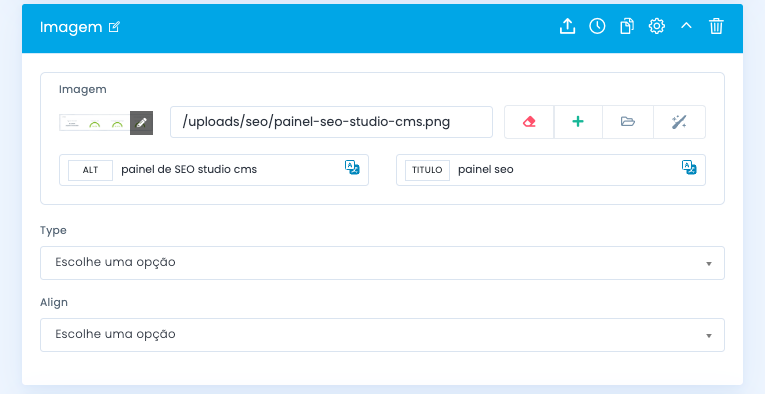
ALT and TITLE
Role of each field
ALT
Describes the image for screen readers and appears when the image does not load. It is essential for accessibility and relevant for SEO.
TITLE
This is the contextual text that may appear when hovering over the image. It has less direct SEO weight, but it can help clarify the content when used well.
Best practice
Use short, descriptive sentences focused on what the image actually shows, avoiding vague wording or artificial keyword repetition.
When to avoid
Do not fill ALT or TITLE with loose keywords. If the image is purely decorative, the treatment should be different and more neutral.
Explore also
Related pages