



How to use this page
Carts do not yet represent closed revenue, but they do show real commercial activity. This area is especially useful when we want to understand what is happening before the order is created: whether the user reaches checkout, interrupts the purchase, hits a technical blocker, or is being held back by the final price.
Overview of the list
Operational reading of the pre-purchase phase
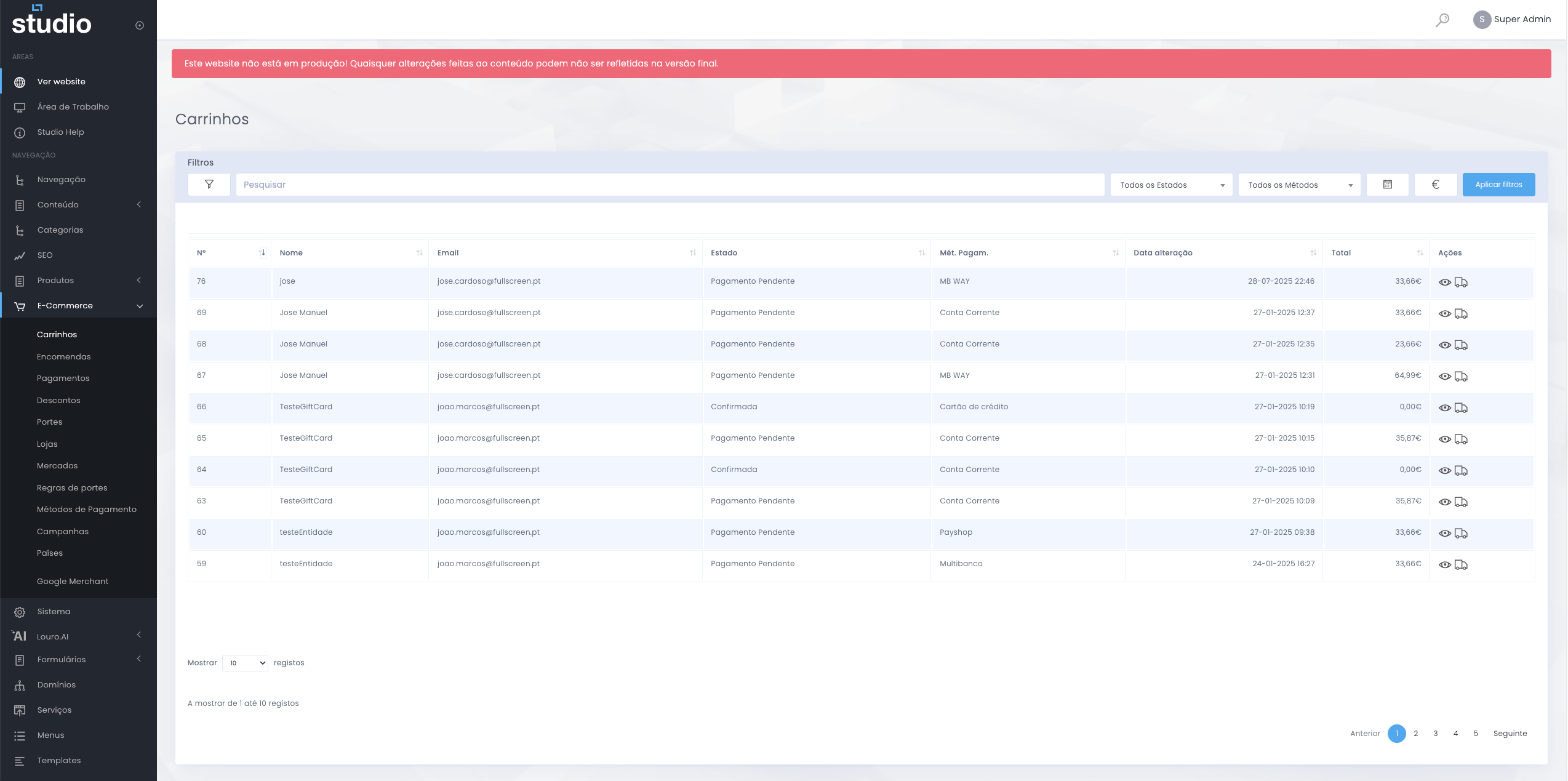
A cart represents an open purchase intent. Even when it does not reach the end, it leaves important clues about user behaviour and about how the checkout is performing.
What the list helps reveal
Fields and practical reading
Cart data
- Number helps identify each record quickly.
- Name and email provide context about the associated user.
- Total shows the estimated value of the open purchase.
Conversion context
- Status helps show at what stage of the process the cart stopped.
- Payment method helps identify possible blockers linked to a specific method.
- Update date shows recency and helps read real activity.
Cart vs order
Important conceptual difference
Cart
- Represents purchase intent, not completed revenue.
- Can be interrupted, abandoned, or resumed.
- Helps read behaviour before conversion.
Order
- Represents a formalised purchase and a confirmed operation.
- Has commercial, financial, and logistics impact.
- Is the central entity of the completed sale.
Signals that deserve attention
Blockers and abandonment patterns
- Many recent carts with no conversion may indicate checkout friction.
- A payment method repeatedly associated with pending states may deserve technical validation.
- Abandoned high-value carts may indicate resistance to the final price, shipping costs, or a poorly applied discount.
- A recent change in shipping, campaigns, or payments can show up very quickly in this list.
How to investigate from carts
From intent to likely cause
1. Read recency and volume
Start by understanding whether the pattern is current and recurring, or only occasional.
2. Look for patterns
Check whether the carts share the same payment method, similar values, or repeated statuses.
3. Cross-check with other areas
Then validate in orders, shipping, discounts, or campaigns to understand whether the root cause is operational or commercial.
Explore also
Areas related to conversion