



Overview
A domain works as a structured list of values that can be reused across different areas of the website or backoffice. Instead of repeating options manually, the team manages a single source of truth that stays clearer, more consistent and easier to maintain as the project grows.
What makes up a domain
Entity, values and relationships
Main domain
This is the entity that defines the list context: its name, languages, status, integrations and, when needed, hierarchical relationships.
Associated values
These are the concrete items inside the list. Each value represents an option available to the system, website or a functional process.
Statuses and dependencies
Domains and their values can carry statuses, languages and dependencies with forms, integrations or other project modules.
Where domains are usually used
Practical use cases in Studio
- Option lists in forms, such as contact types, categories or request statuses.
- Lists connected to integrations and webservices when Studio needs to map external data.
- Support structures for filters, classifications or content organization across different website areas.
- Cross-project lists that need to exist in more than one page, block or functional component.
- Multilingual contexts where the same values must remain consistent across languages.
How to read the domains area in Studio
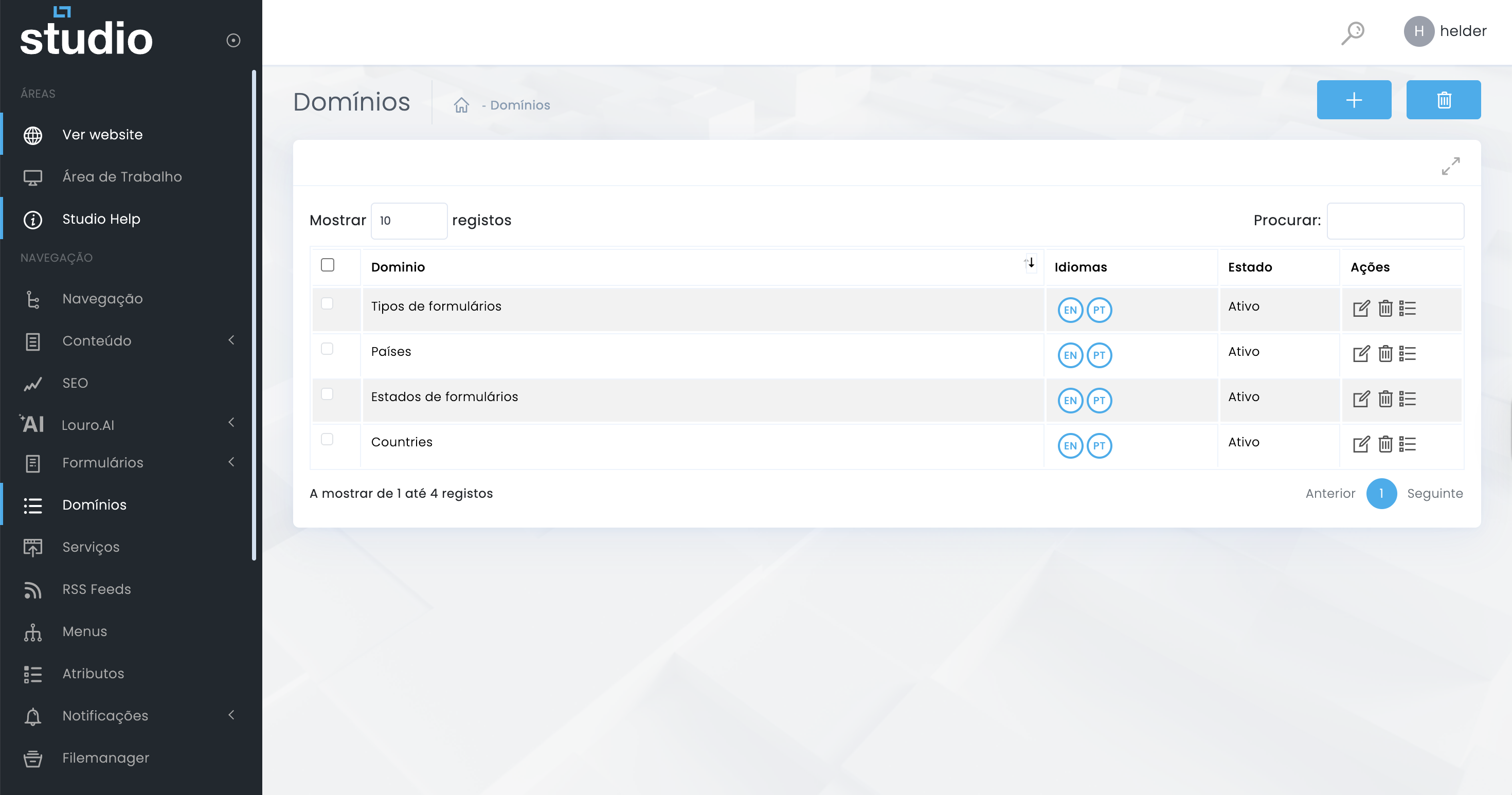
Main listing overview
What appears in the table
You will usually see the domain name, code, languages, status and the entry point to edit or go deeper into the structure.
Why this view matters
It is the central control point for understanding what already exists, what is active and which structures still need review.
Best practices for modeling domains
Consistency before scale
1. Define the list purpose
Before creating a domain, confirm what it is for, who will use it and where in the project it needs to appear.
2. Avoid duplication
If two lists represent the same functional logic, it usually makes more sense to consolidate them into one well-named structure.
3. Think about languages and evolution
Even if the list looks simple today, it is smart to anticipate future language versions, integrations or hierarchies from the start.
Explore also
Next steps in this area