



How to use this page
Discounts should not be seen only as a visual incentive. Each rule introduces business logic that affects price, user behaviour, and the reading of commercial results. The better the rule is designed, the more controlled its impact on the store will be.
Discount list
Existing promotional rules
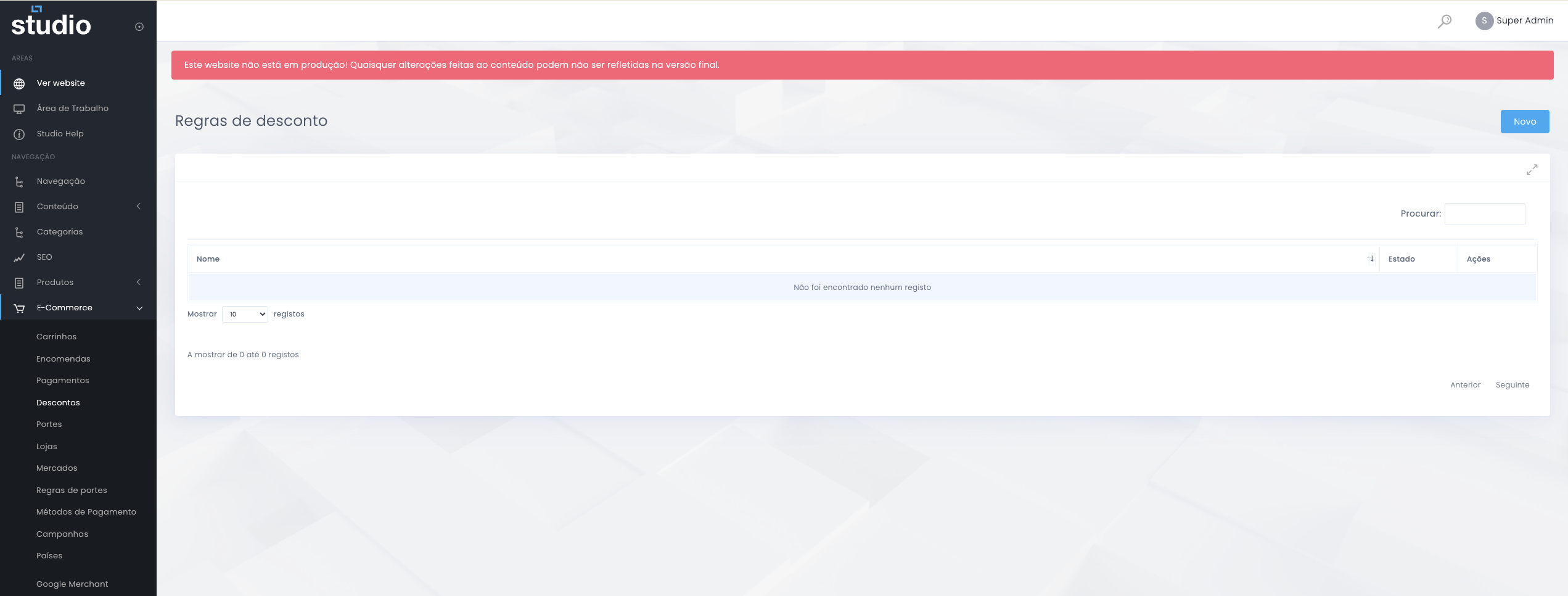
A discount rule always combines three dimensions: who can receive it, under what conditions it becomes active, and what effect it has on the final checkout price.
Create a new rule
Initial rule structure
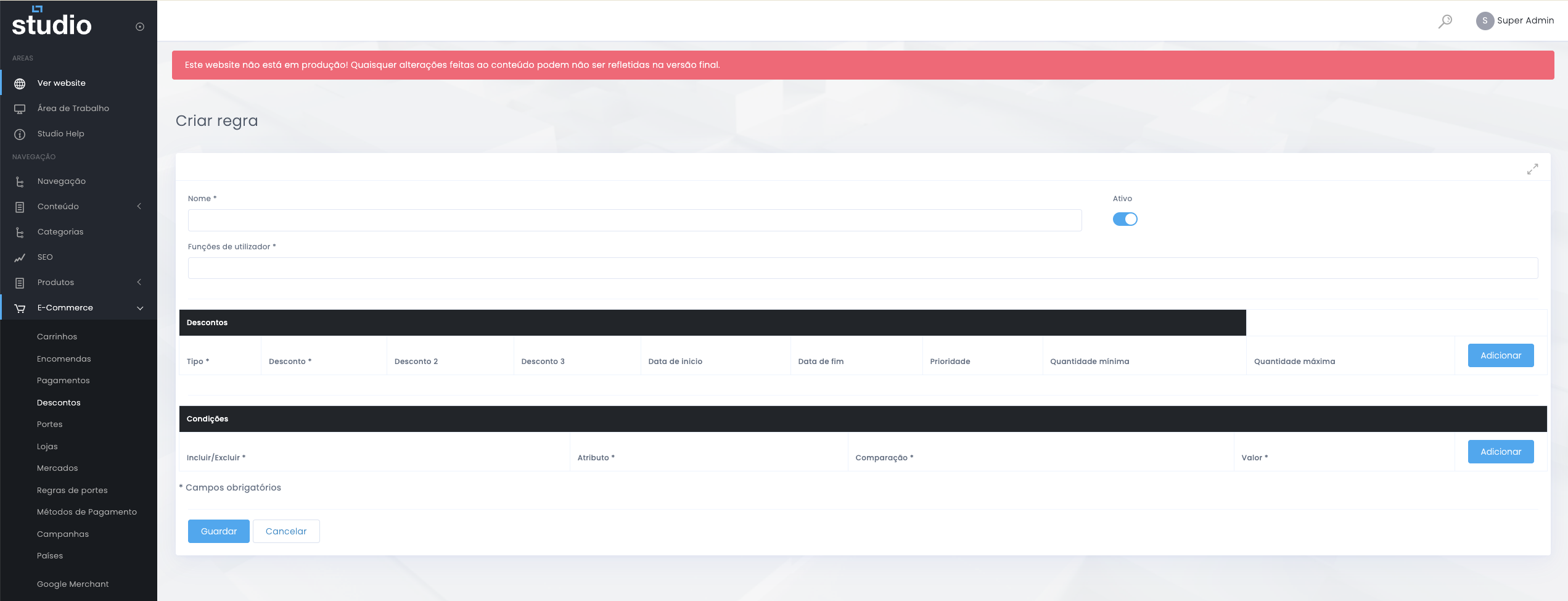
Initial fields
- Name identifies the rule internally.
- User roles help define who the promotion applies to.
- The Discounts section concentrates the value and scheduling fields.
Structural logic
- The Conditions section defines when the rule should be activated.
- The discount only makes sense when value and condition are aligned.
- The rule should be designed to answer a clear commercial goal.
Example of a completed rule
Discounts and conditions together
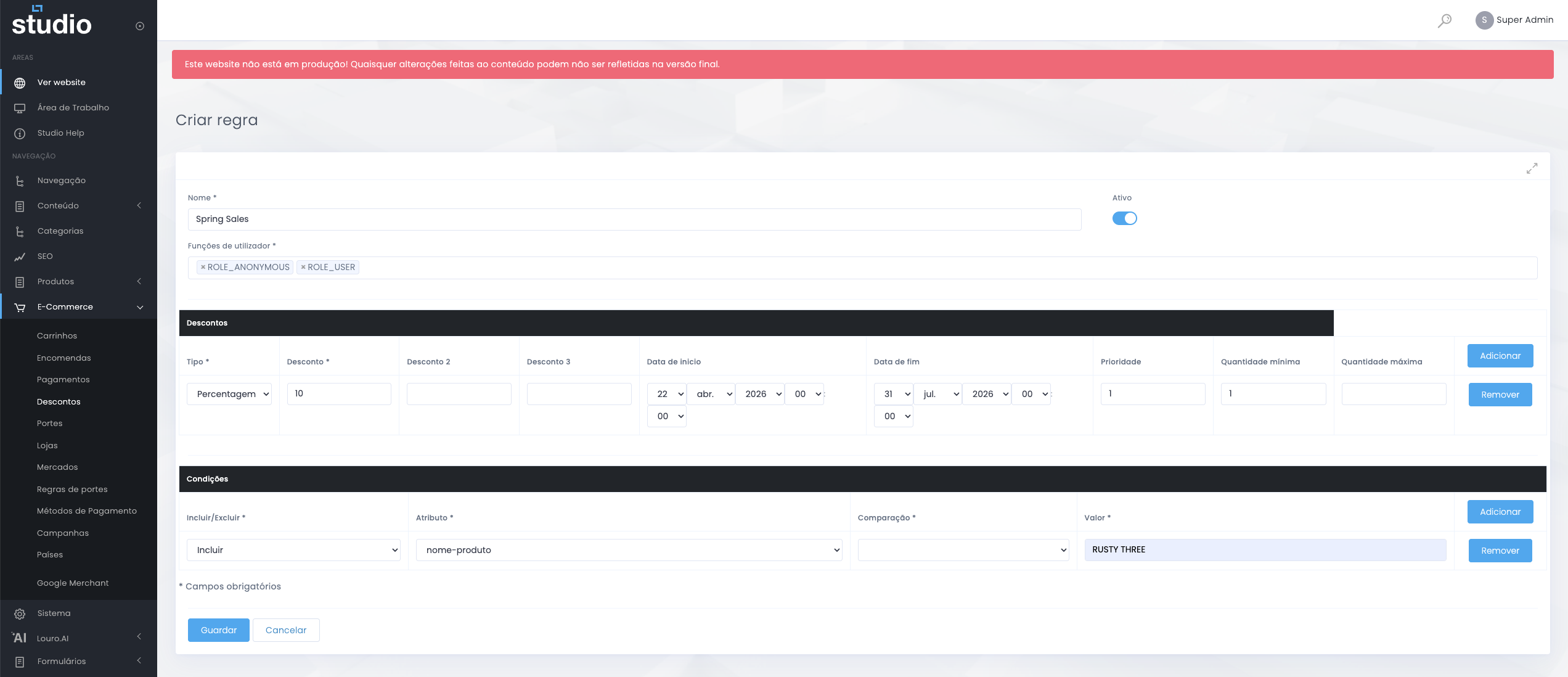
This is the stage where the rule stops being only conceptual and starts having real impact on checkout. That is why clarity in configuration makes all the difference.
Discount section
- Type defines the discount model.
- Discount, Discount 2, and Discount 3 support value levels.
- Dates, priority, and quantities help control application and conflict between rules.
Conditions section
- Include / Exclude defines the type of logic applied.
- Attribute, comparison, and value define when the rule becomes active.
- Conditions help make the discount contextual rather than generic.
What to validate before activating
Commercial and technical impact
- Confirm that the conditions truly match the behaviour you want to encourage.
- Validate whether dates, priority, and quantities do not conflict with other active rules.
- Test the real application in checkout with representative scenarios.
- Make sure the rule is commercially sustainable, not only technically valid.
Management good practices
Discounts under control
- Give rules clear names so the team can quickly understand the purpose of each one.
- Define dates whenever possible to avoid open-ended promotions with no control.
- Use priority with criteria when several rules exist at the same time.
- Avoid too many active discounts at once without a clear logic.
- Document the commercial intention of the rule internally.
Explore also
Areas related to promotions and conversion