



Overview
Internationalization is the structure that allows a website to support multiple languages and contexts without duplicating project management. Translations are the operational layer of that structure: they transform labels, pages, messages, CTAs and other content for each available language.
What internationalization means
Concept and difference from translation
Internationalization
It is the technical and structural foundation that prepares the website to support multiple languages, rules and editorial contexts.
Translation
It is the actual adaptation of content for each language, both in pages and in labels, interface messages and system elements.
Localization
It goes beyond literal translation and brings content closer to the market, culture and context of the end user.
What they are for on a website
Editorial, commercial and technical impact
- They allow communication with different markets without breaking the website architecture.
- They improve experience clarity because each user finds content in the most appropriate language.
- They support language-specific SEO when titles, descriptions, headings and content are consistent in each version.
- They reduce manual maintenance because the project gains a central logic for languages, labels and translations.
- They make product scale easier when the brand needs to grow into new territories or teams.
How this section appears in Studio
Quick read of the sidebar menu
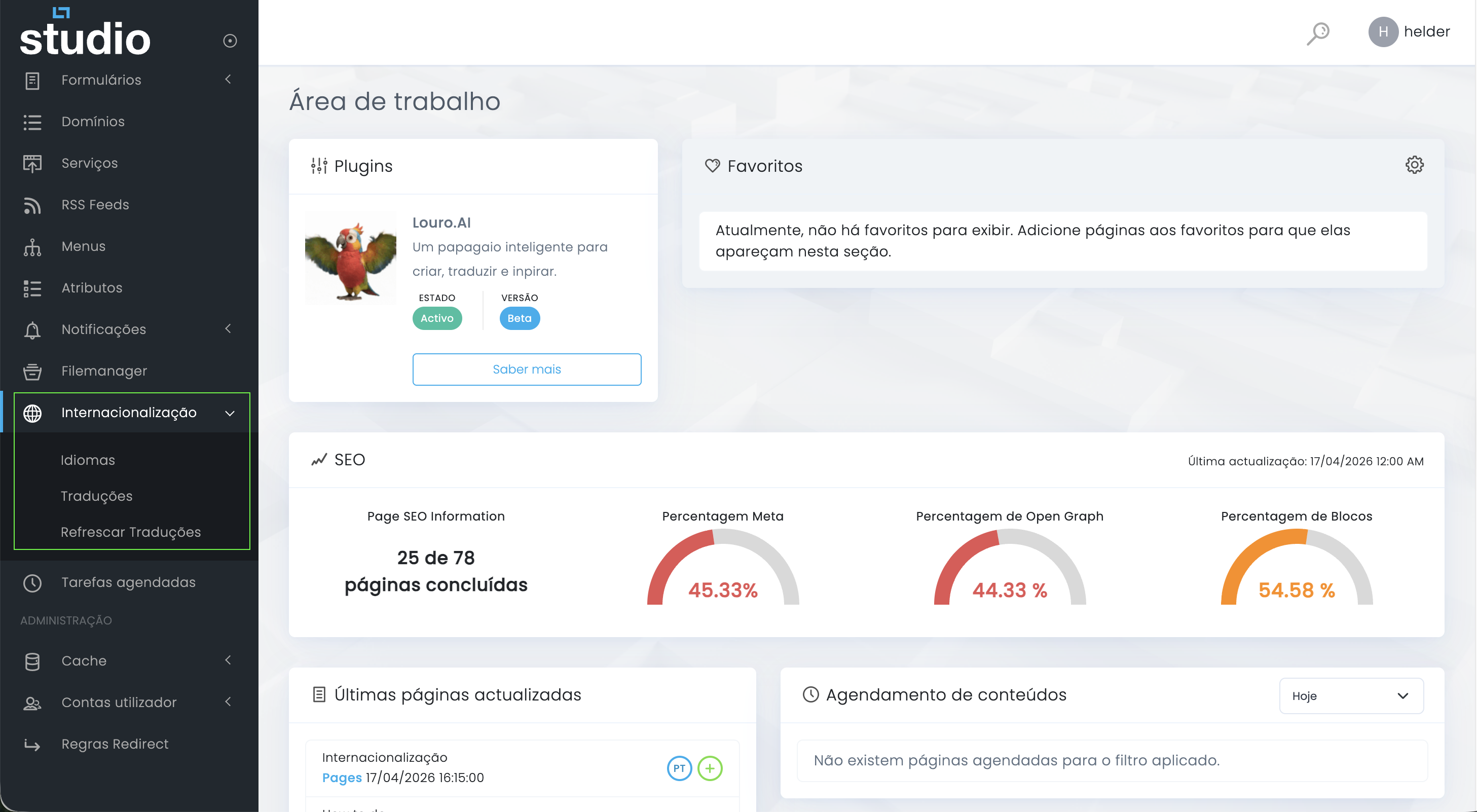
Languages
The area where the team defines which languages exist in the project and which ones are active, public or default.
Translations
An operational area to find labels and system content that need review or updates per language.
Refresh Translations
A useful action when the project needs to reprocess or synchronize the translation mesh available in the backoffice.
What usually changes between languages
More than running text
Editorial content
Titles, text, CTAs, lists, support blocks and contextual messages need to keep the same goal in each language.
Navigation
Menus, breadcrumbs, categories and internal links should follow the published language so the experience does not break.
SEO
Meta title, meta description, Open Graph, headings and sometimes slugs also belong to the multilingual review flow.
Interface and system
Labels, error messages, placeholders, notifications and small backoffice or frontend texts also matter.
Explore also
Next steps in this section