



Overview
This page organizes the report into three main areas: the summary with percentages, the pages table and the additional actions available by language. The goal is to turn the SEO report into an operational panel that helps teams decide what to fix first.
1
SEO Report
General dashboard summary
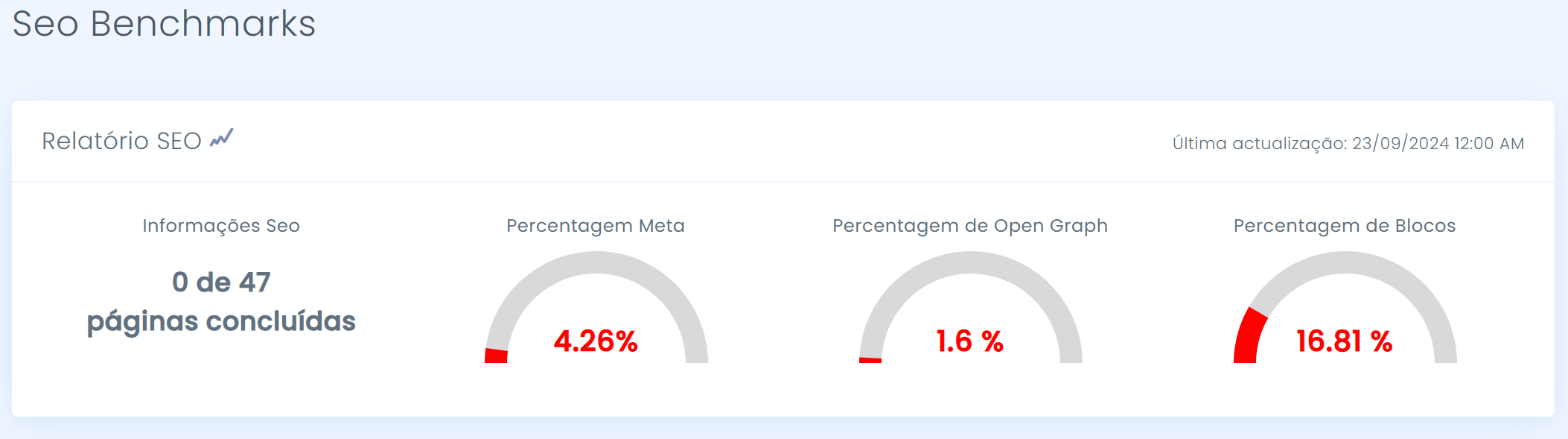
SEO Information
General indicator of pages that have 100% SEO completed.
Meta Percentage
Indicates progress in setting up meta titles and descriptions across pages.
Open Graph Percentage
Shows the percentage of pages with Open Graph tags configured for optimized social sharing.
Block Percentage
Displays the SEO coverage of the blocks used throughout the website.
Quick reading: these indicators help you understand immediately which optimization front needs more attention and where to prioritize work.
2
Page Table
SEO status by page
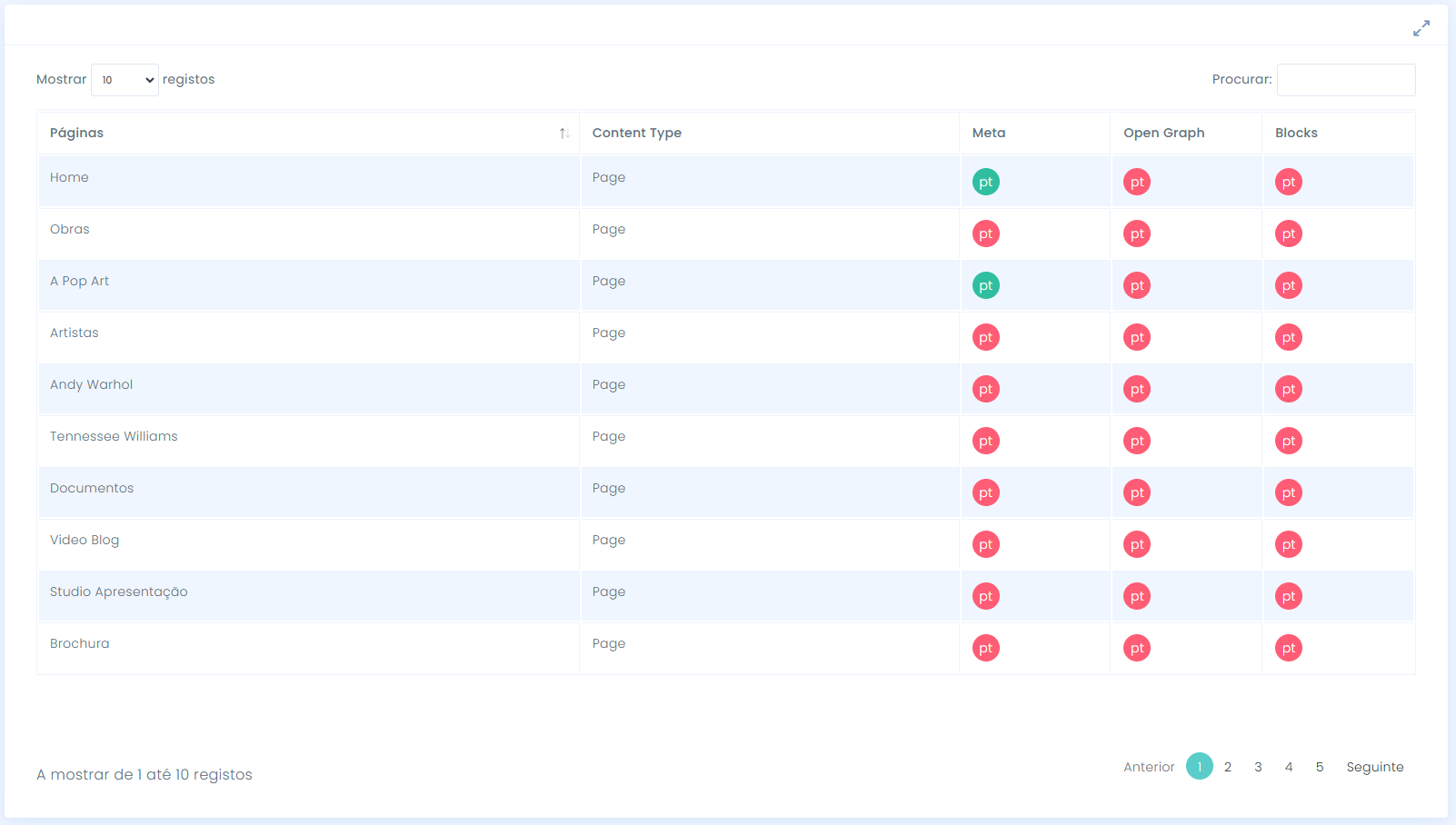
| Option | Description |
|---|---|
| Pages | Name of each page. |
| Content Type | Content type, such as “Page”. |
| Meta | Status of meta information. Green indicates configured; red indicates missing. |
| Open Graph | Status of Open Graph tags for social sharing. |
| Blocks | Status of the SEO configuration of the blocks used on the page. |
3
Features when loading a language
Additional actions by page
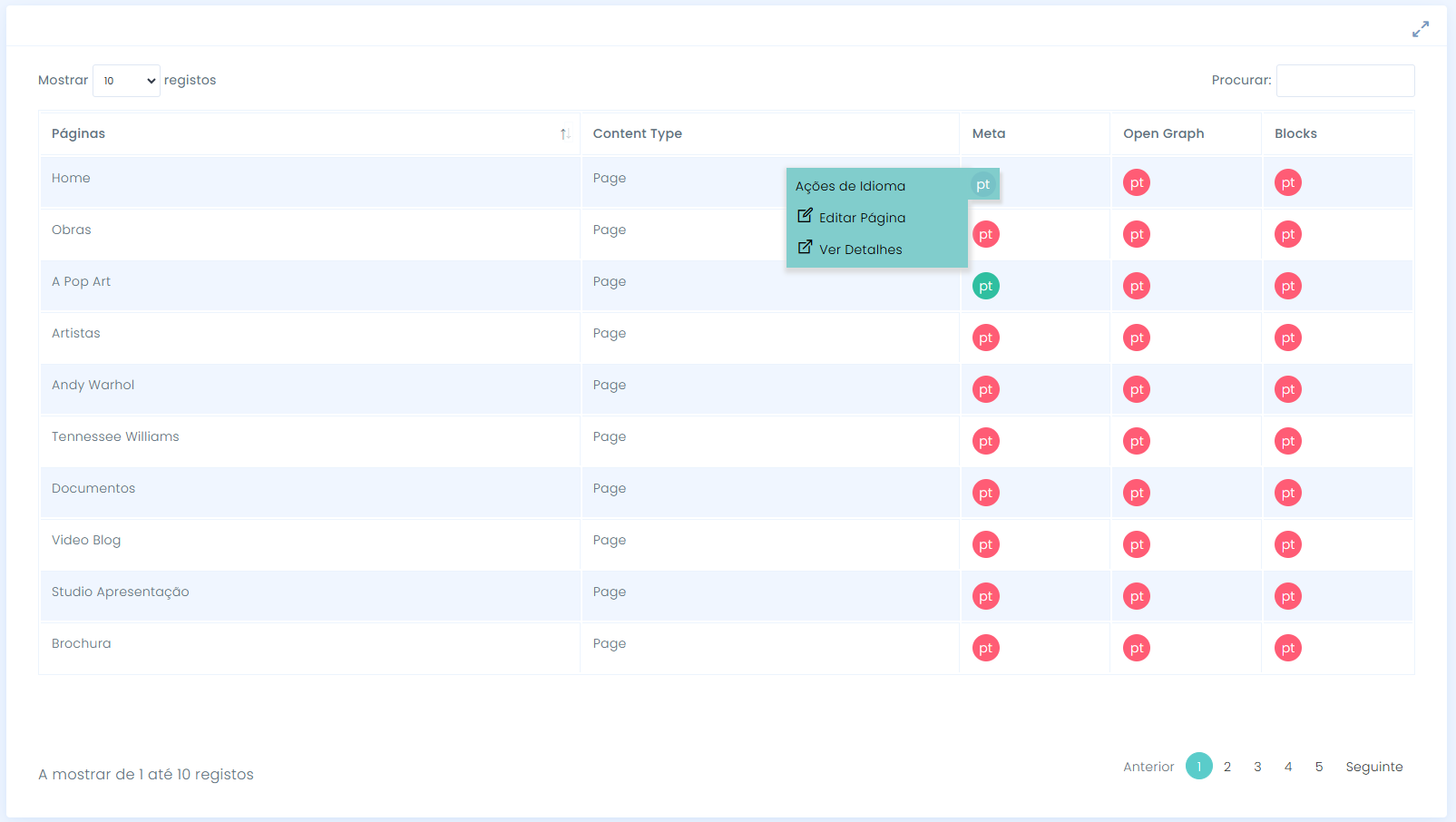
| Option | Description |
|---|---|
| Content Type | Takes you directly to the page editor in the backoffice, where you can adjust content and SEO settings. |
| View Details | Shows detailed information about the page, including the blocks used and the completion state of the SEO settings. |
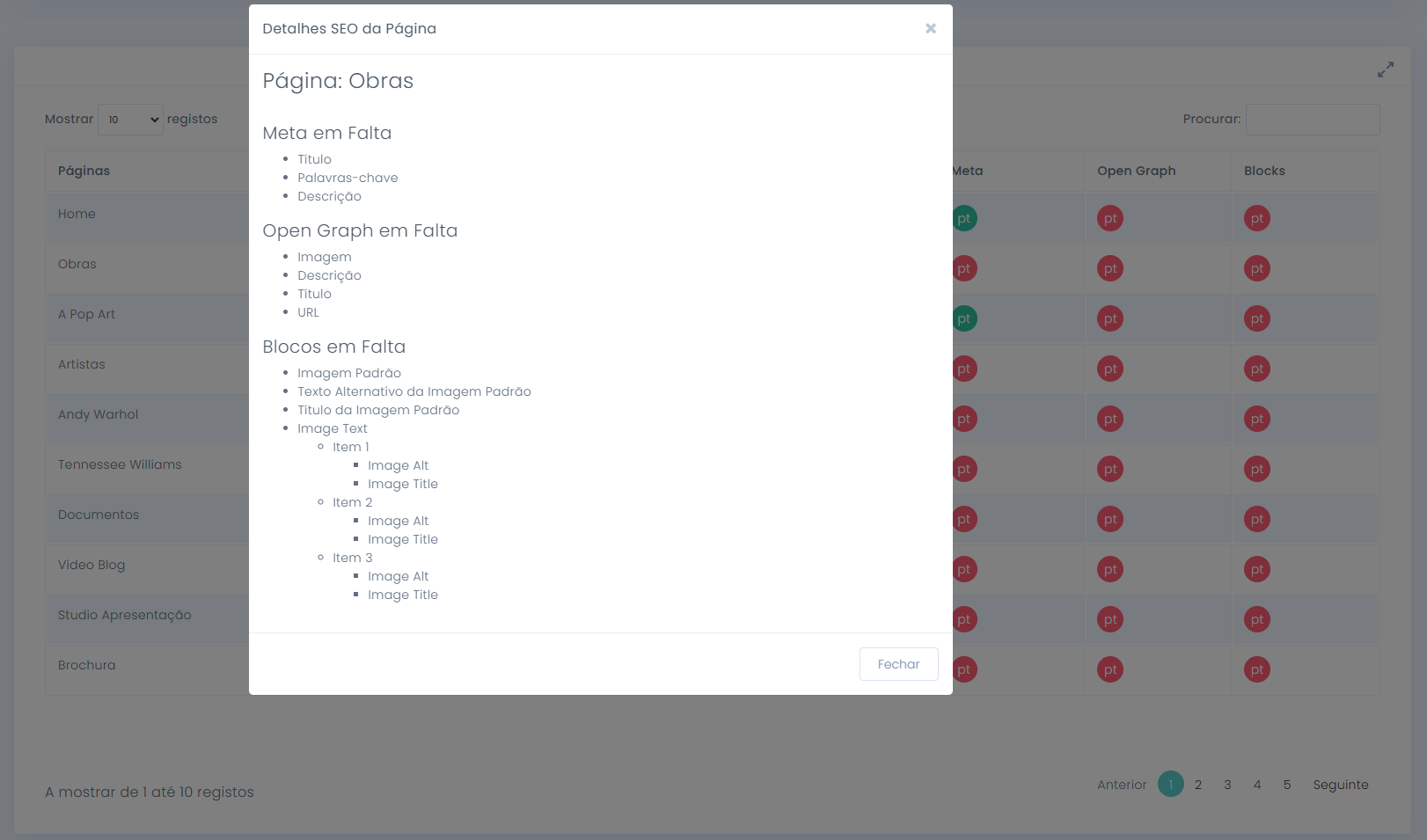
Main function: this section works as a centralized control panel to identify pages with incomplete SEO, navigate directly to editing and prioritize fixes with real impact.
4
Why this area matters
Operational reading
- Quickly identifies pages with incomplete SEO settings.
- Makes it easier to jump directly into page and block editing.
- Helps prioritize adjustments with impact on search engines and social sharing.
- Makes language-specific review easier when the website requires optimization by version.
5
Explore also
Related pages