



Studio Help · Login
How to log in to the StudioCMS back office
A quick and visual guide to accessing the administration panel, entering the correct data, and securely logging into the back office.
Overview
Access to the StudioCMS back office is via the website address followed by /admin/login . After opening the login page, simply choose your language, enter your username and password, and log in.
1
Access the backoffice URL
First step
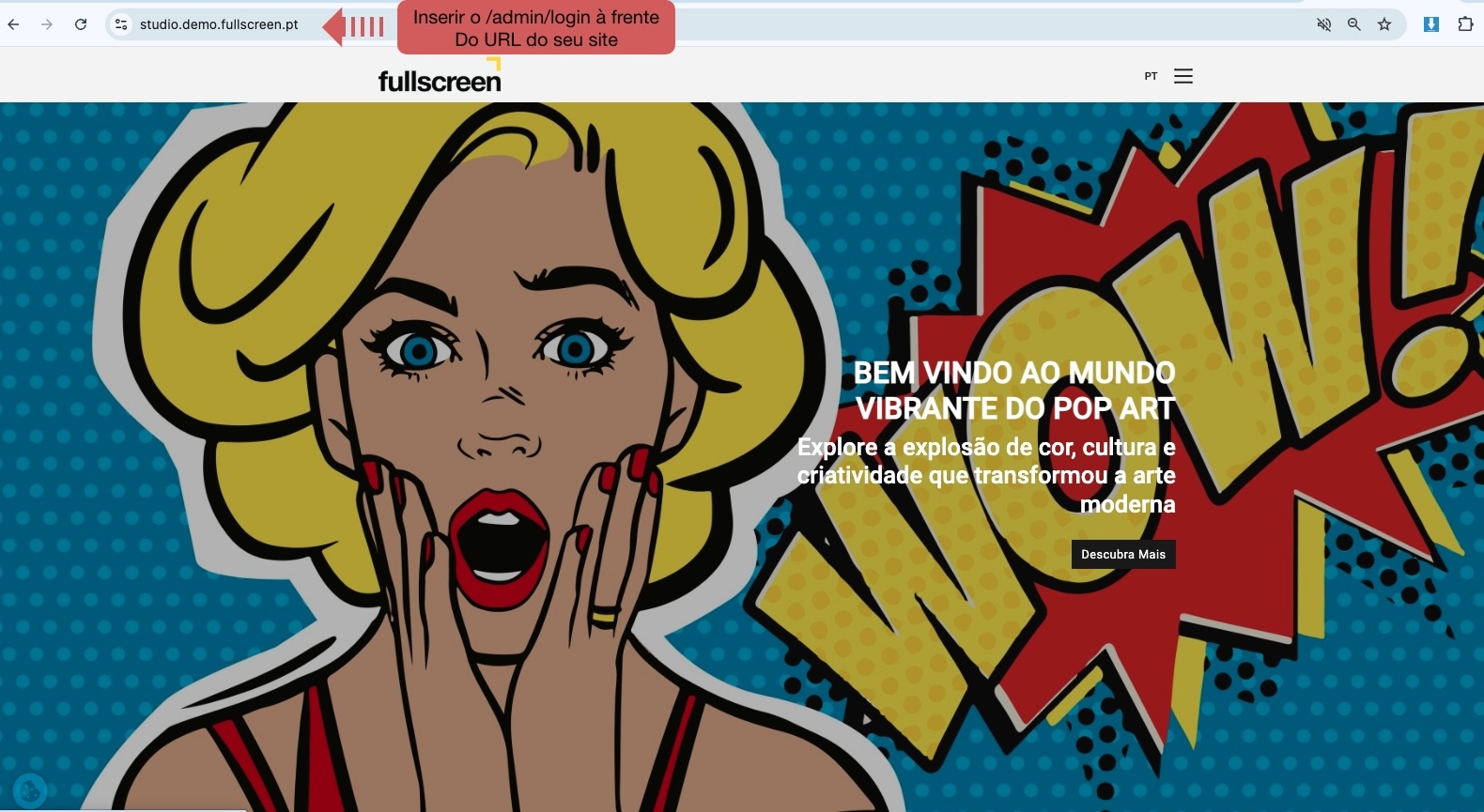
Open your browser and enter your website's URL followed by /admin/login . Example: www.yoursite.com/admin/login .
2
Fill in the login details.
Login screen
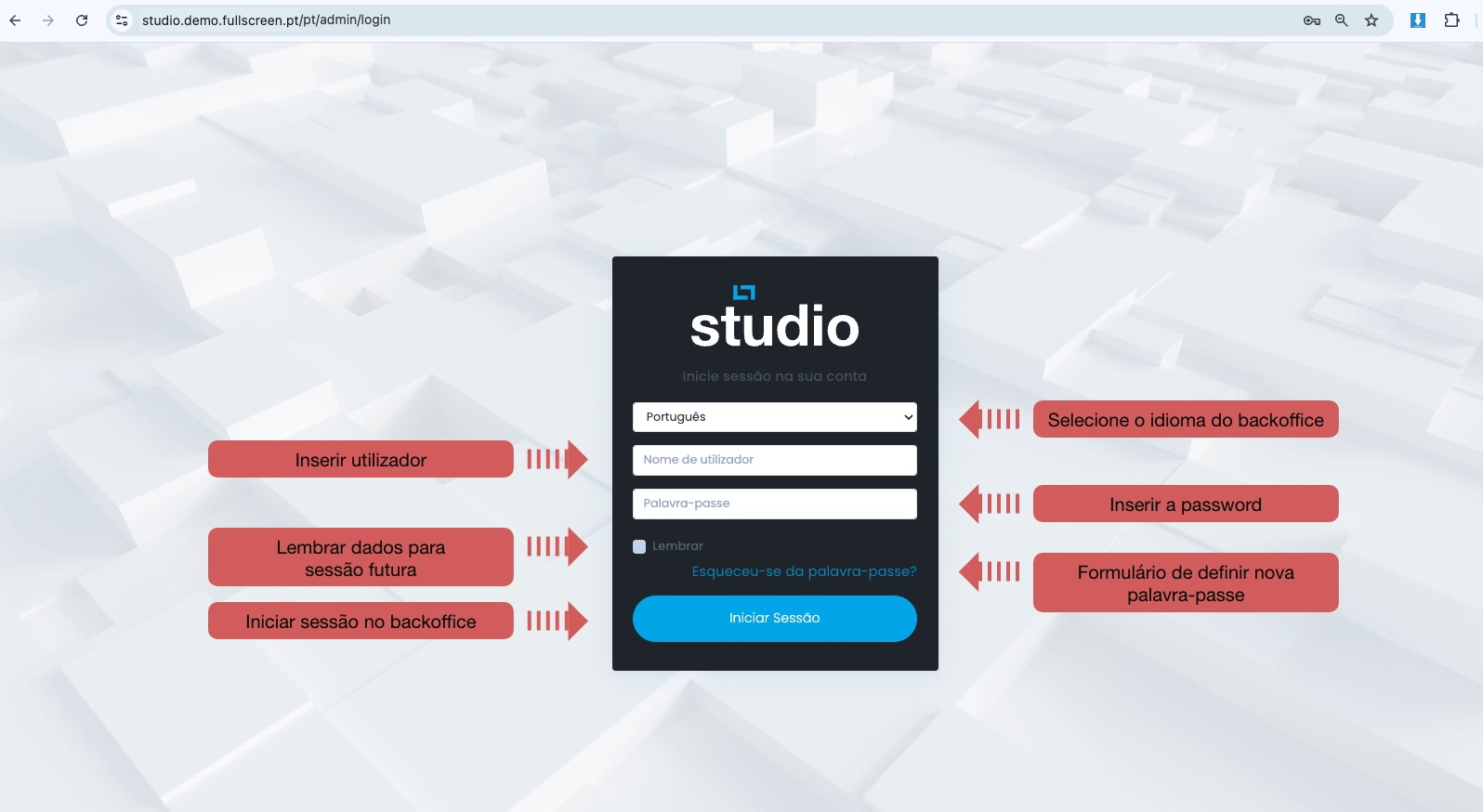
On the login screen, choose your language, enter your username and password, and use the password recovery option if necessary.
3
Step by step
Login sequence
Main actions
- Access the backoffice URL.
- Select the back office language.
- Enter username and password.
- Click on Log In .
Additional options
- Remember me: stores login details for a period of time on secure computers.
- Forgot your password? You can reset your access via email.
4
Quick checklist
Before entering
Correct URL
- Confirm that the address ends in /admin/login .
Credentials
- Verify your username and password before logging in.
Recovery
- If you don't know your password, use the recovery link.
Note: The "Remember me" option is useful for frequent access, but should only be used on secure, personal devices.
Quick guide: To access the StudioCMS back office, you only need three things: the correct URL, your credentials, and access to your email in case you need to reset your password.