



How to use this page
Orders should act as the most reliable source for the commercial operation. This is the area where the team understands what has come in, what requires action, which orders are pending, which statuses have been assigned, and what extra information needs to be communicated to the customer or to logistics.
Main order list
Operational triage and reading
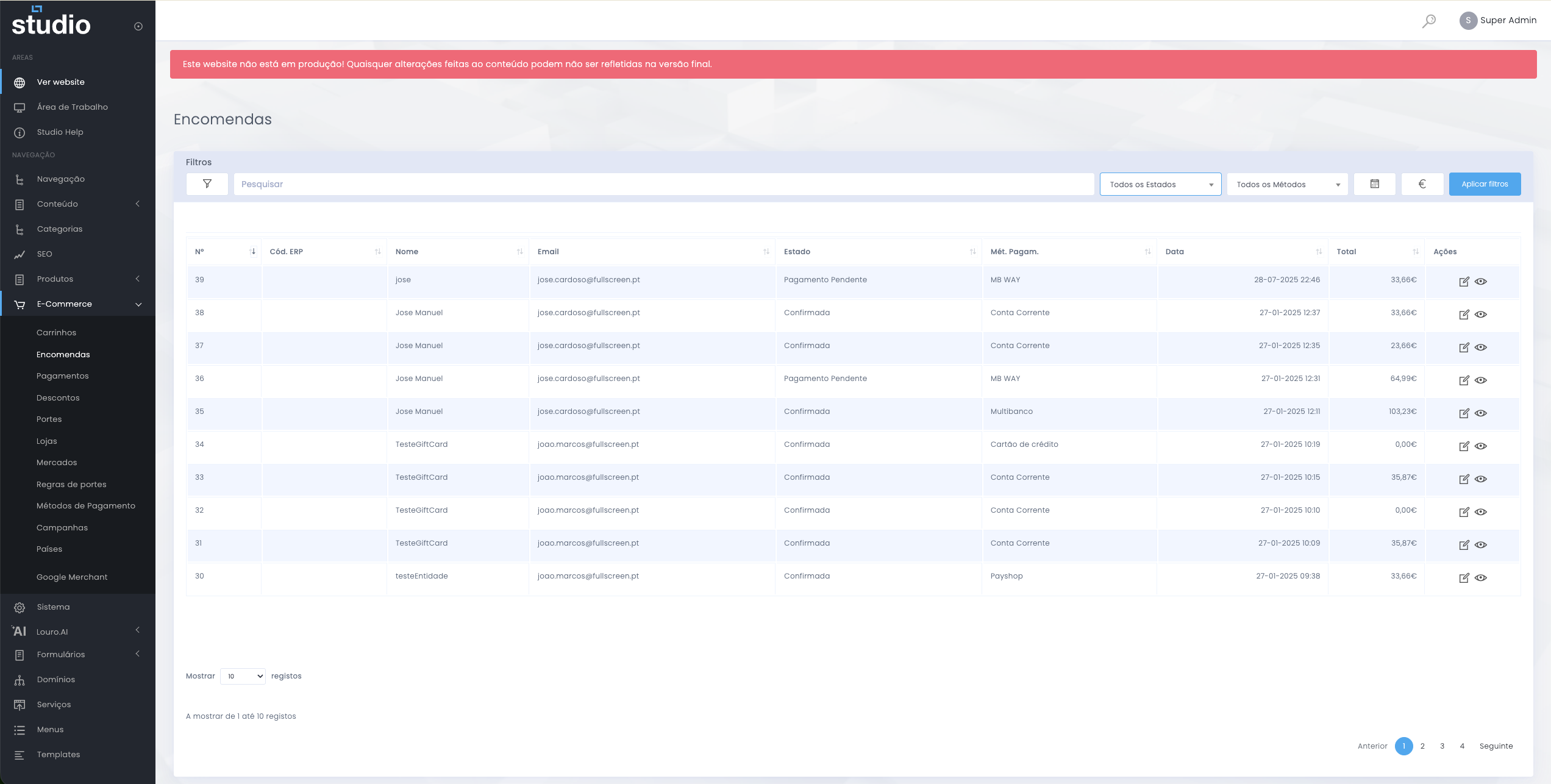
This view helps the team quickly understand which orders came in, which ones require priority attention, and where there may be commercial, logistics, or payment-related pending issues.
What the list helps reveal
Main fields and context
Order identification
- Number and ERP code help locate the order and cross-check it with other systems.
- Name and email provide immediate context about the customer.
- Date helps read recency, time order, and recent volume.
Operational context
- Status shows at what point in the operation the order currently is.
- Payment method helps contextualise order intake and possible pending issues.
- Total helps read commercial impact and potential priority.
Order detail
Complete order view
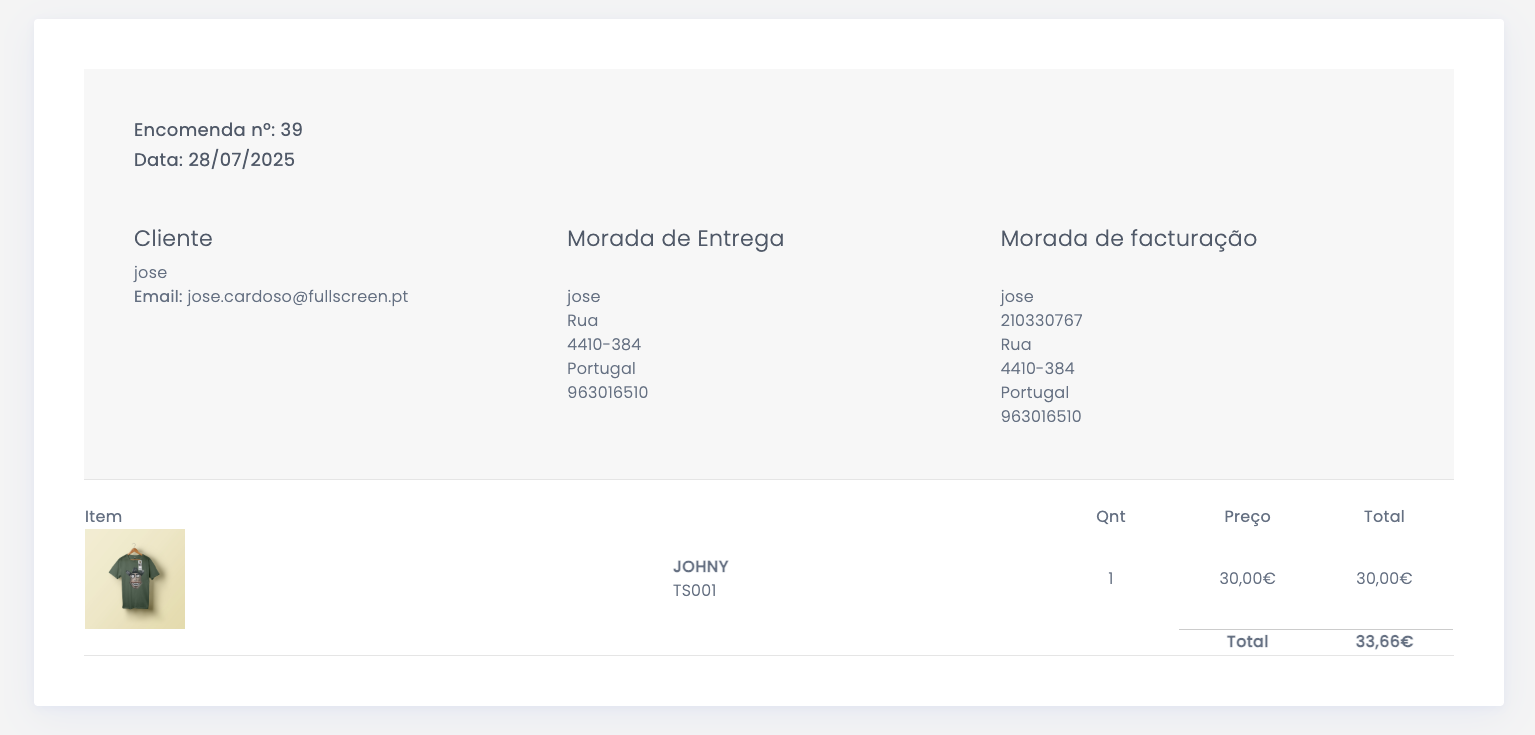
This area is essential for customer support, manual checking, and logistics validation. It is also where the team confirms whether the submitted information matches what should move forward to processing and shipment.
Customer data
Includes identification, email, and useful context for contact or order validation.
Addresses and items
Make it possible to confirm delivery, billing, order composition, and the total associated with each item.
Updating the order status
Progress and operational communication
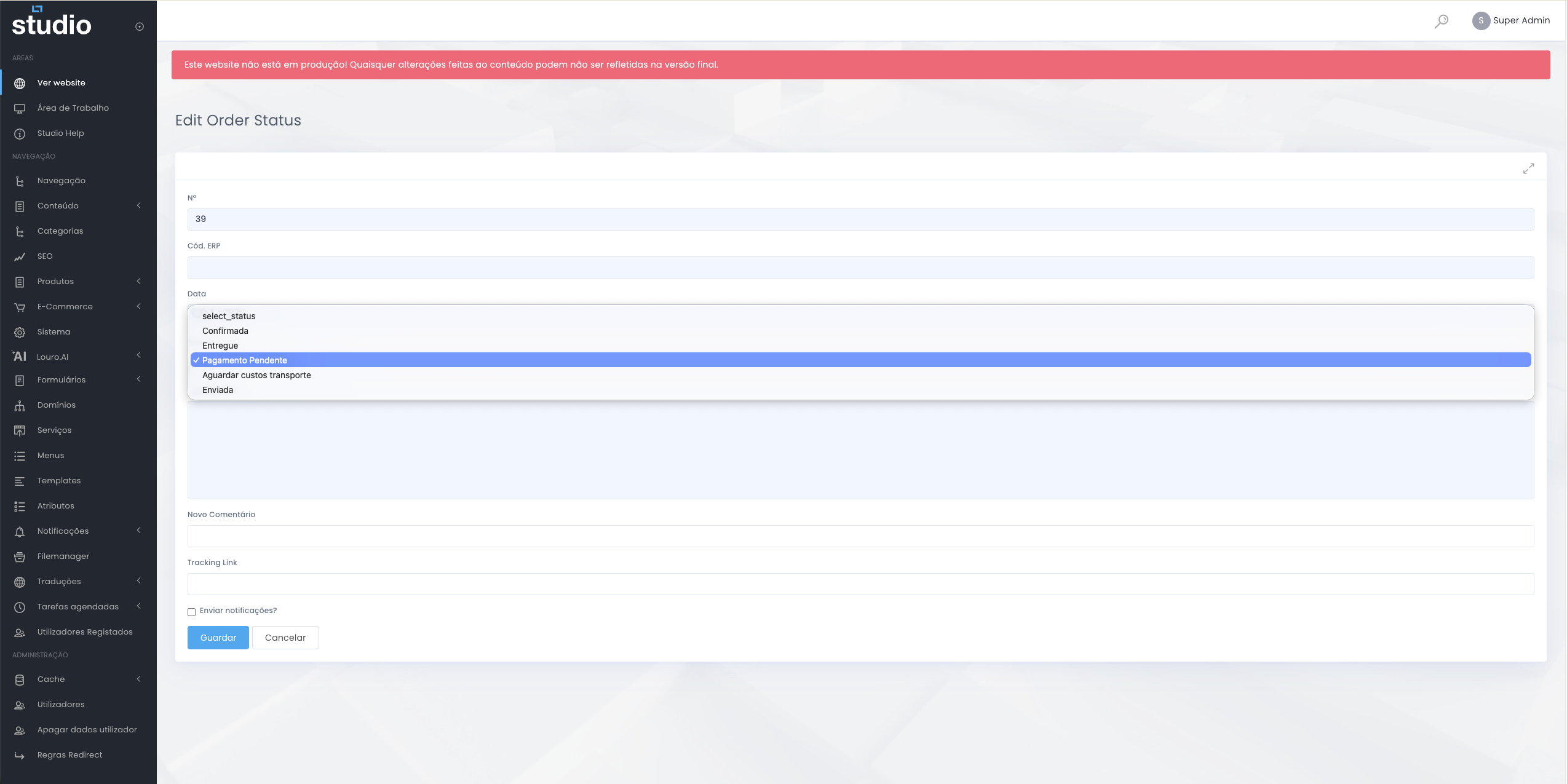
Changing the status is one of the most sensitive actions in this area because it affects the internal reading of the operation and may also have a direct impact on communication with the customer.
Frequent statuses
- Confirmed
- Delivered
- Pending payment
- Waiting for shipping costs
- Shipped
Additional fields
- New comment
- Tracking link
- Optional notification sending
Management good practices
Operational consistency
- Define a clear logic for how statuses are used and keep it consistent over time.
- Update the order at the right moment to avoid outdated operational readings.
- Use comments only when they add relevant context for the team.
- Insert a tracking link only when it actually exists and is ready to be shared.
- Be mindful of the impact of automatic notifications whenever you change an order.
Explore also
Areas related to the commercial operation