



How to use this page
Shipping should not be seen only as a technical configuration. It is part of the commercial experience, because a wrong calculation, an inconsistent rule, or an unexpected cost can prevent the purchase from being completed even when the rest of checkout is working properly.
Main shipping list
Existing delivery rules
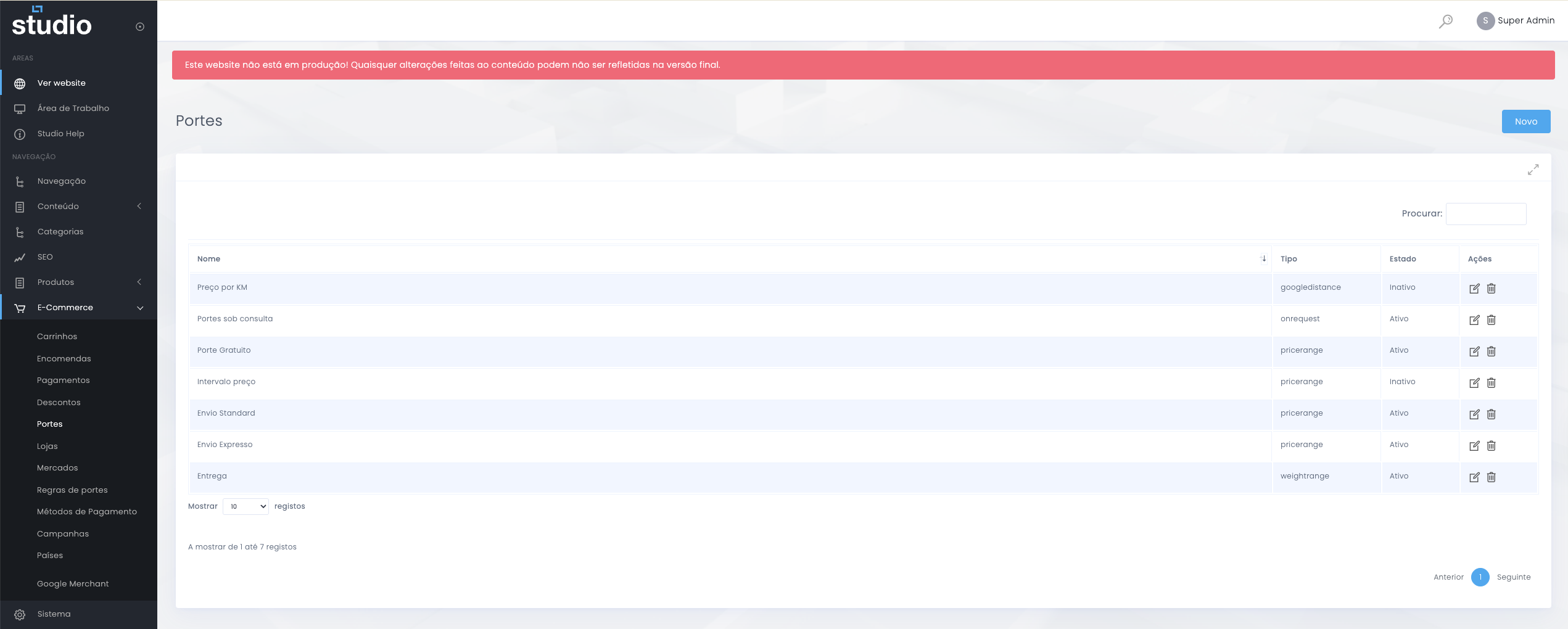
This is the view where the team can quickly understand which shipping logics exist in the store, which ones are active, and what kinds of calculations are currently affecting the order total at checkout.
Available shipping types
Possible calculation logics
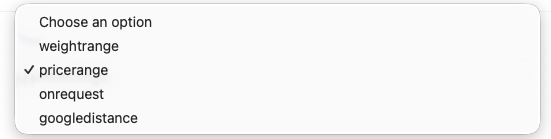
Main types
- weightrange for calculation by weight ranges.
- pricerange for calculation based on order value.
- onrequest for scenarios that require manual validation.
- googledistance for calculations dependent on distance.
When to use each type
- Use weight-based calculation when logistics cost depends on physical load.
- Use price-based calculation when you work with order value tiers.
- Use manual request when the cost cannot be closed automatically.
- Use distance when transport depends on the real location of the destination.
How to configure a shipping rule
Shipping rule structure
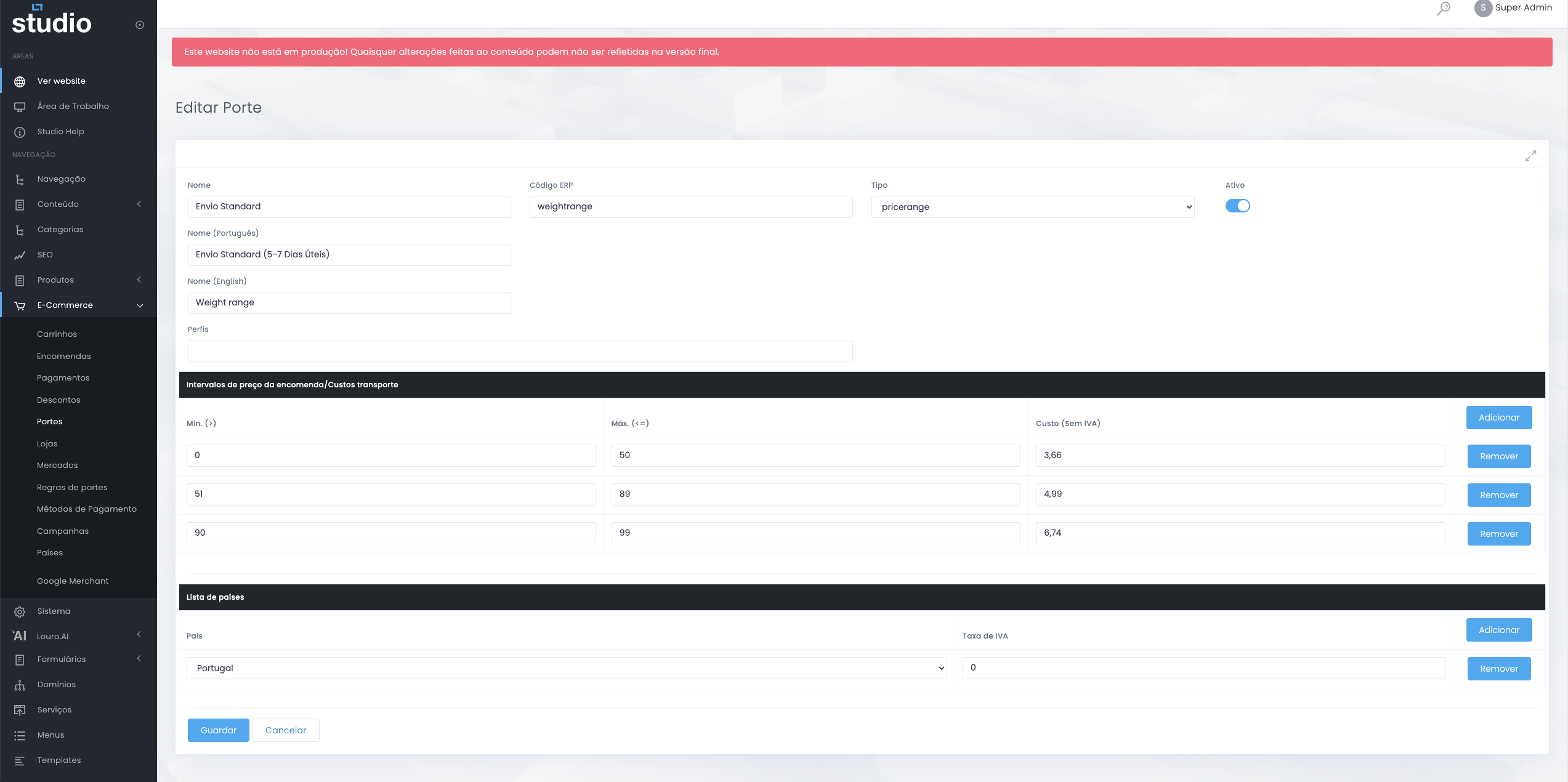
When configuring a shipping rule, the team defines not only the name of the rule, but also the logic that determines when it becomes active and how much should be charged in each scenario.
Base fields
- Name and ERP code identify the rule.
- Type defines the calculation logic.
- Profiles help segment the application when needed.
Calculation rules
- Intervals define minimums, maximums, and associated cost.
- Country list helps contextualise the destination.
- VAT rate completes the shipping tax context.
What to validate before closing the rule
Calculation and checkout risks
- Confirm that there are no overlapping intervals between minimum and maximum values.
- Make sure there are no gaps between ranges that leave scenarios uncovered.
- Validate whether countries, costs, and VAT are consistent with the defined rule.
- Test edge cases in checkout before considering the configuration closed.
Configuration good practices
Direct impact on conversion
- Give shipping rules clear names so the team can identify them easily.
- Choose the calculation type that best matches the real delivery objective.
- Always test edge cases before publishing the rule.
- Confirm that countries and tax context are correct.
- Validate the impact of shipping on the final order total and on user perception.
Explore also
Areas related to checkout and operations